VAT on receipts and the VAT report
1 minute read · updated 27 Oct 2026Show VAT on receipts, mark exempt products and get a monthly VAT report.
Step 1: Turn on VAT
Open Tax & VAT and turn on My shop charges VAT. Add your TIN and rate.Step 2: Prices with VAT
Turn on My prices already include VAT if they do. Receipts then show the VAT inside the price.Step 3: Mark exempt products
Tap VAT-exempt products and pick them. Check with your accountant.Step 4: Monthly report
Open VAT report and send it to your accountant.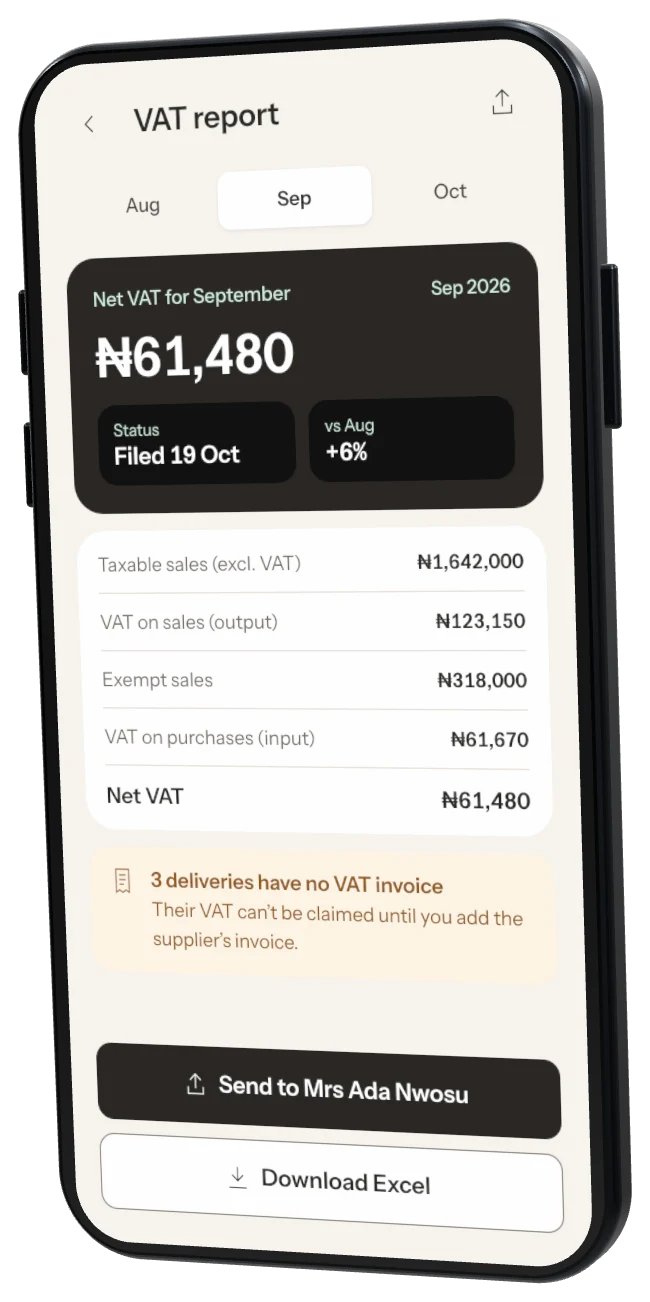
Not sure? Whether you should charge VAT depends on your sales and what you sell. Ask your accountant. Storeflow just does the sums.
Was this helpful?