Sell by weight
1 minute read · updated 27 Oct 2026Weigh rice, beans and garri at the till, with or without a Bluetooth scale.
Step 1: Set the product to kg
Open it in Products, tap Sold as and pick Kg. Set the price and cost per kg.Step 2: Connect a scale (optional)
Open Sell by weight, then Connect a scale, and pick your Bluetooth counter scale.Step 3: Sell it
In Sell, the weight comes from the scale. Without one, type the weight or the naira amount the customer wants.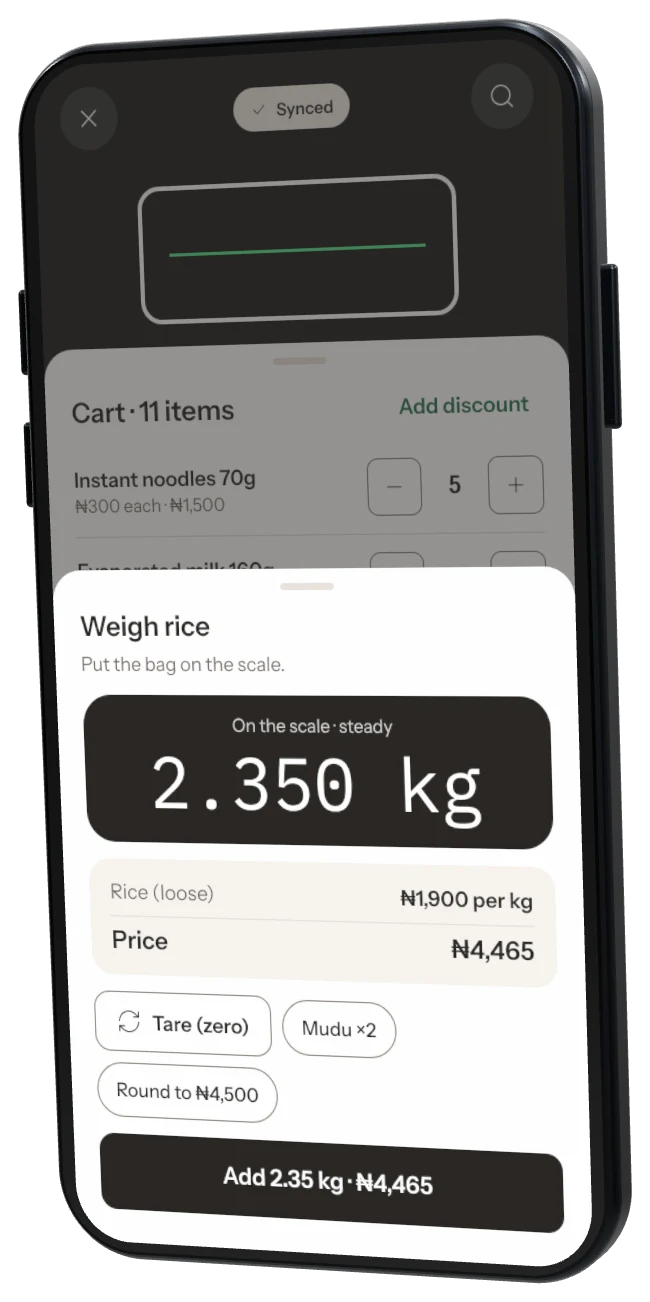
Step 4: Add local measures
Add a Mudu, Derica or paint bucket with its own price. Stock goes down by its weight.
Was this helpful?