Track expiry dates
1 minute read · updated 27 Oct 2026Add expiry dates when you receive stock and get a morning alert before goods expire.
Step 1: Add dates when receiving
Turn on Track expiry dates for a product. When you receive it, pick the date and batch number.Step 2: See what expires
Open Expiry dates to see stock at risk this week and in 30 days.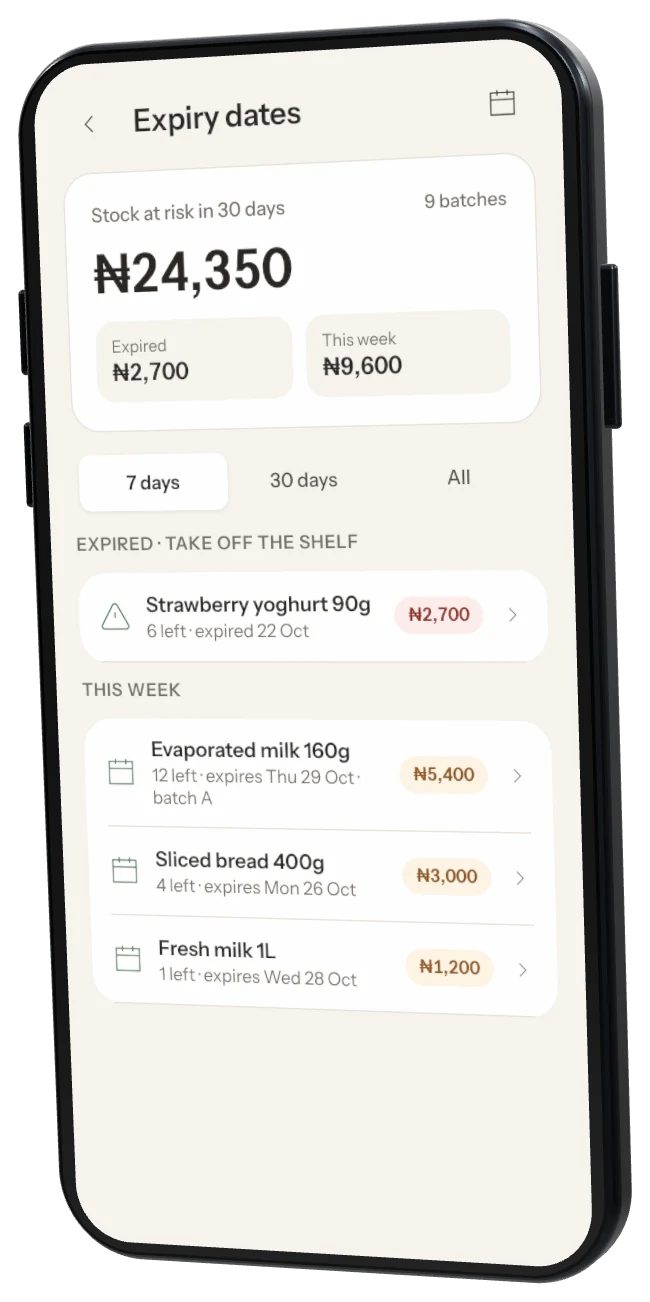
Step 3: Act on it
Sell or discount it first, return it to the supplier, or tap Write off as expired.
Oldest first Storeflow sells from the batch that expires first.
Was this helpful?