Send messages to customers
1 minute read · updated 27 Oct 2026Tell customers about deals and new stock by SMS or WhatsApp. Pay only for the messages you send.
Step 1: Only message people who agreed
Ask customers first. They can reply STOP any time and are switched off for you.Step 2: Write a message
Open Messages and tap Write a message. Choose who to send to.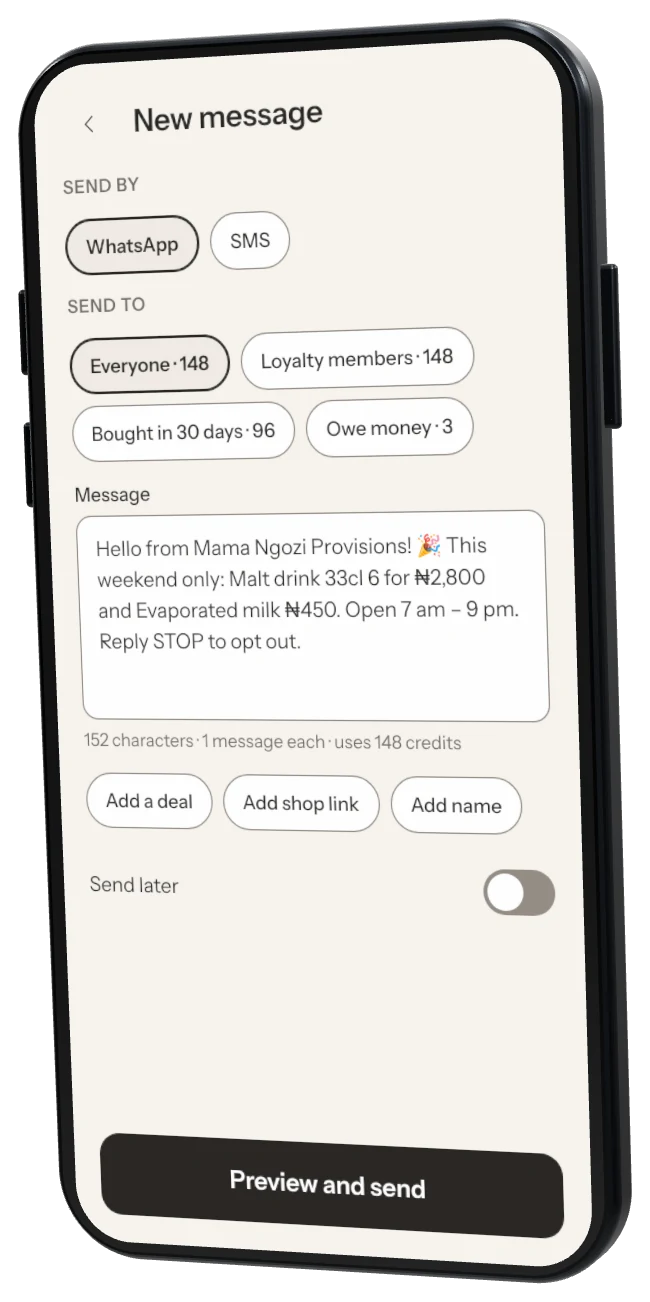
Step 3: Send or schedule
Tap Preview and send, or Send later.Step 4: Buy credits
Tap Buy message credits and pay with Paystack. Credits don't expire.
Was this helpful?