Smart reorder
1 minute read · updated 27 Oct 2026Storeflow suggests what to buy and how much, from your last 4 weeks of sales.
Step 1: Open Smart reorder
It looks at your last 4 weeks of sales, the supplier's delivery time and a week of extra cover.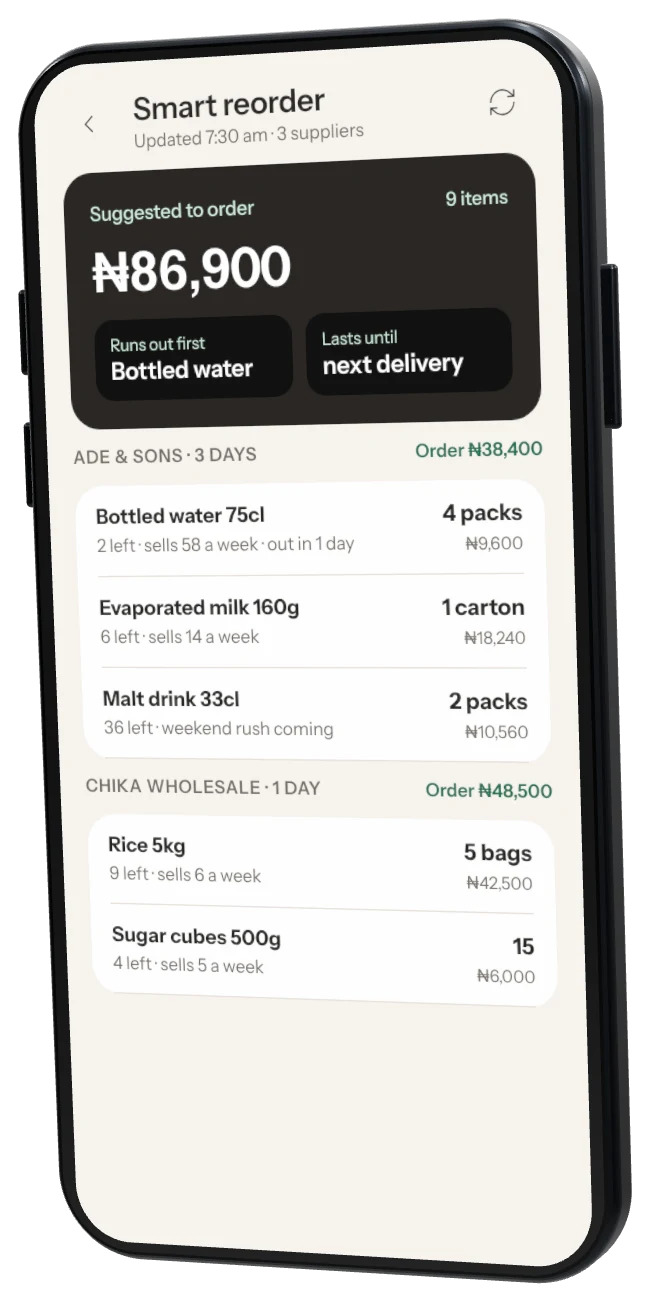
Step 2: Check the suggestions
Tap an item to see why, change the amount or skip it this time.Step 3: Turn it into an order
Tap New order. Change any amount, then send it on WhatsApp or save it as a draft.
Was this helpful?