Count your stock
1 minute read · updated 27 Oct 2026Count your shelves to find what is missing. You can keep selling while you count.
Step 1: Start a count
Tap More, then Stock count. Choose all products, one category or just the risky ones.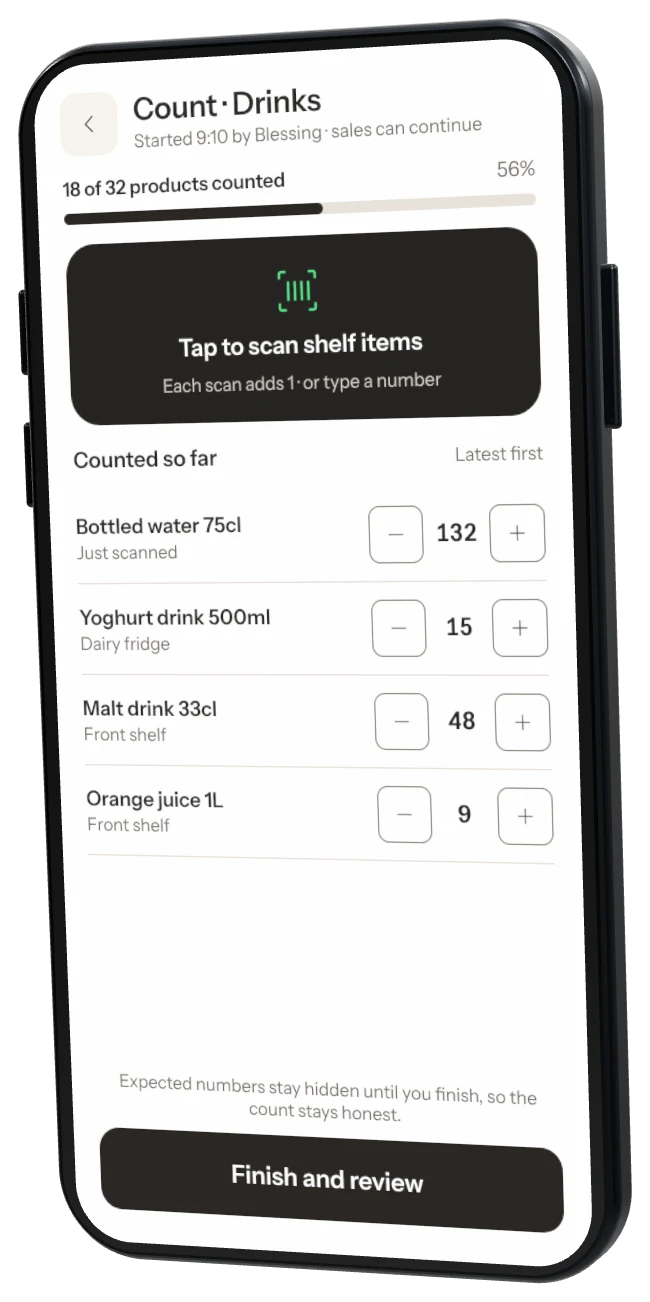
Step 2: Count each item
Scan or tap each item on the shelf and enter what you see. Expected numbers stay hidden so the count stays honest.Step 3: Review
Tap Finish and review to see items that differ and the value missing at cost.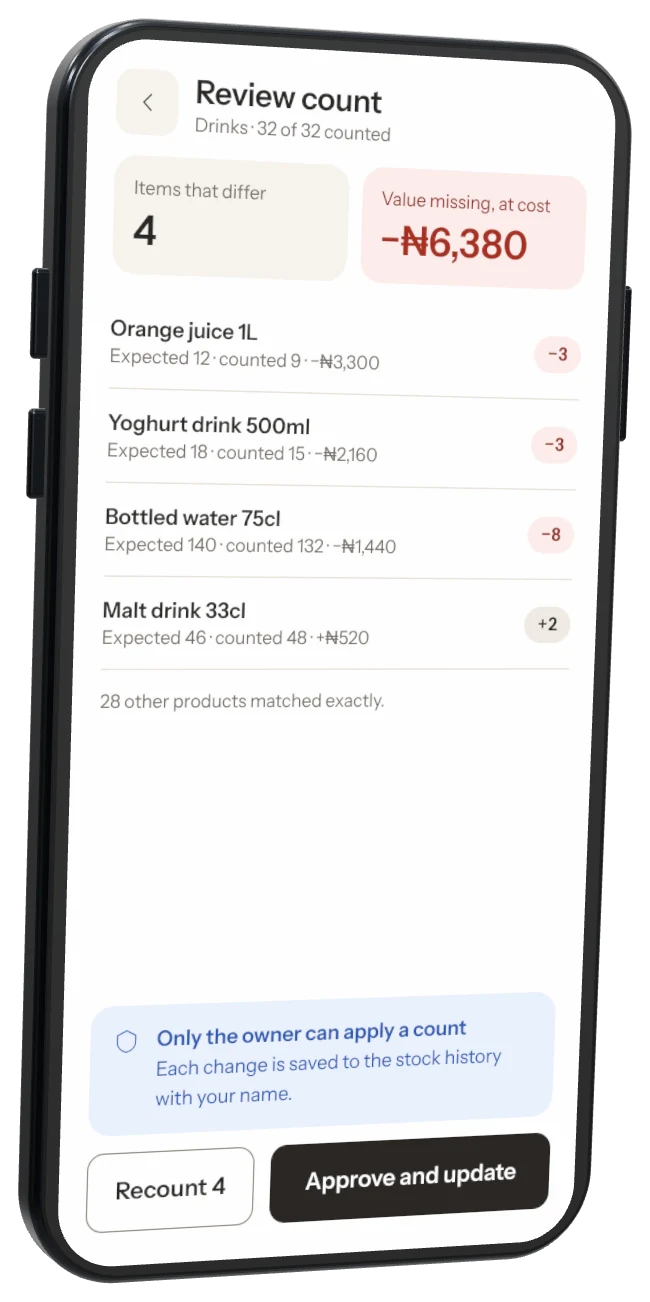
Step 4: Approve
The owner taps Approve and update. Stock now matches the shelf, and the difference shows as a loss in this week's report.
Helpers can count A cashier can count. Only the owner can approve the count and change stock.
Was this helpful?