Add products with no barcode
1 minute read · updated 27 Oct 2026For loose sugar, bread, rice by the cup, sachets and anything you pack yourself.
Step 1: Add a product
Tap Products, then Add, then Add without a barcode.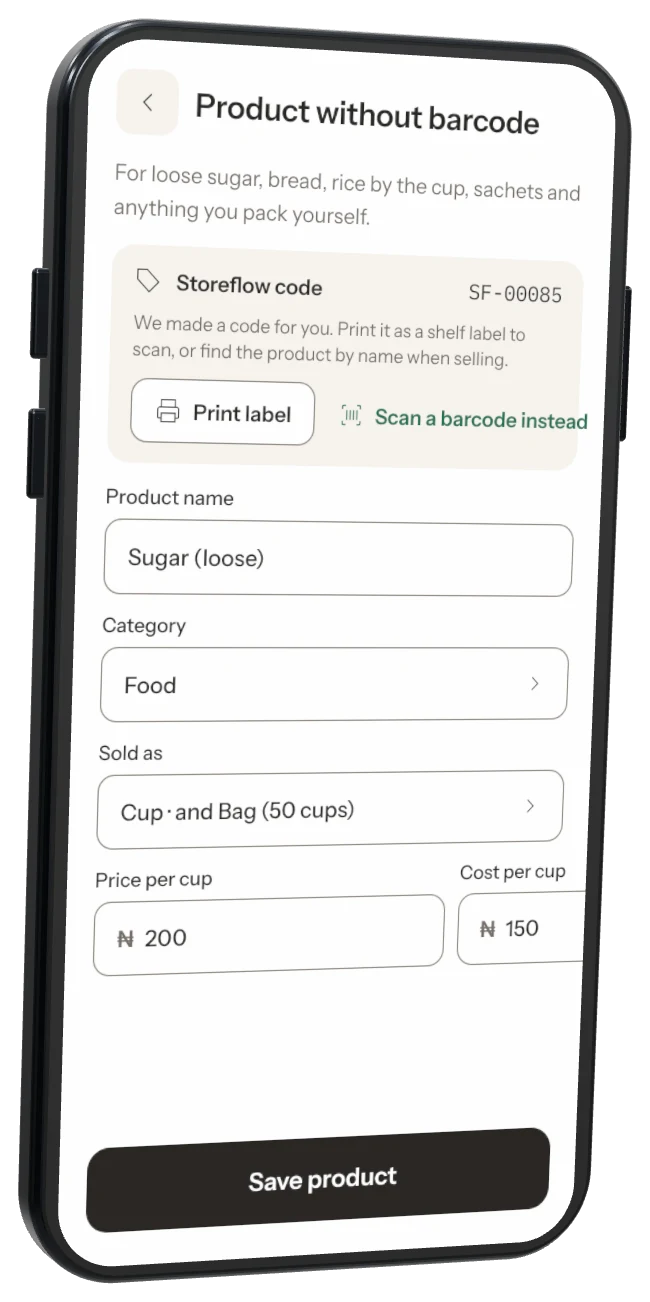
Step 2: Fill in the details
Type the name and size, selling price, and cost price if you know it.Step 3: Use the Storeflow code
We make a code for you. Print it as a shelf label to scan, or find the product by name when selling.
Was this helpful?