Add your products
1 minute read · updated 27 Oct 2026Scan a barcode or type a name, set your selling price and cost, and Storeflow keeps count for you.
Step 1: Open Products
Tap Products at the bottom of the screen. You see everything you sell and how many are left.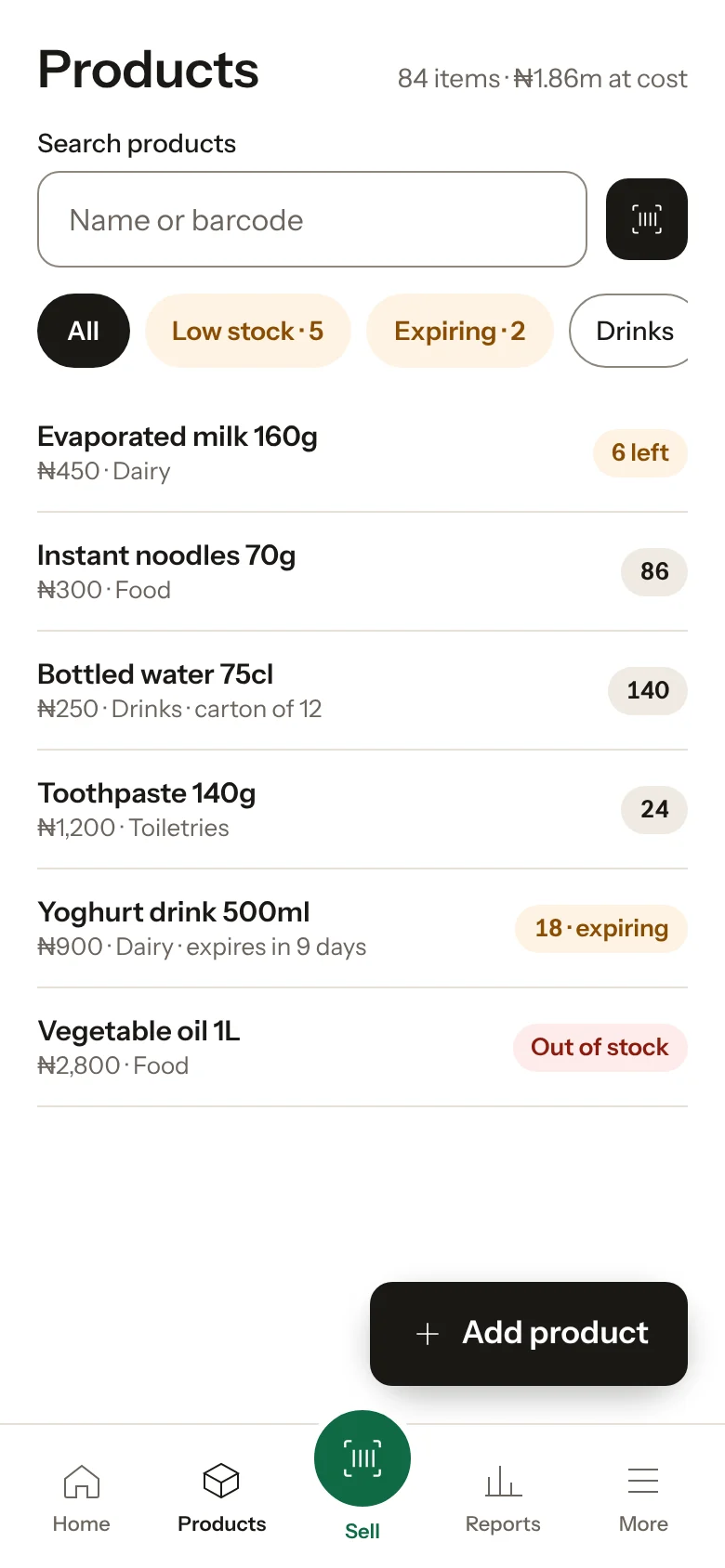
Step 2: Tap Add product and scan
Point the camera at the barcode. If we know the product, its name is filled in for you. No barcode? Type the name instead.Step 3: Set the price and cost
Enter what you sell it for and what it costs you. Selling by the pack and the carton? Tap Change units to add both.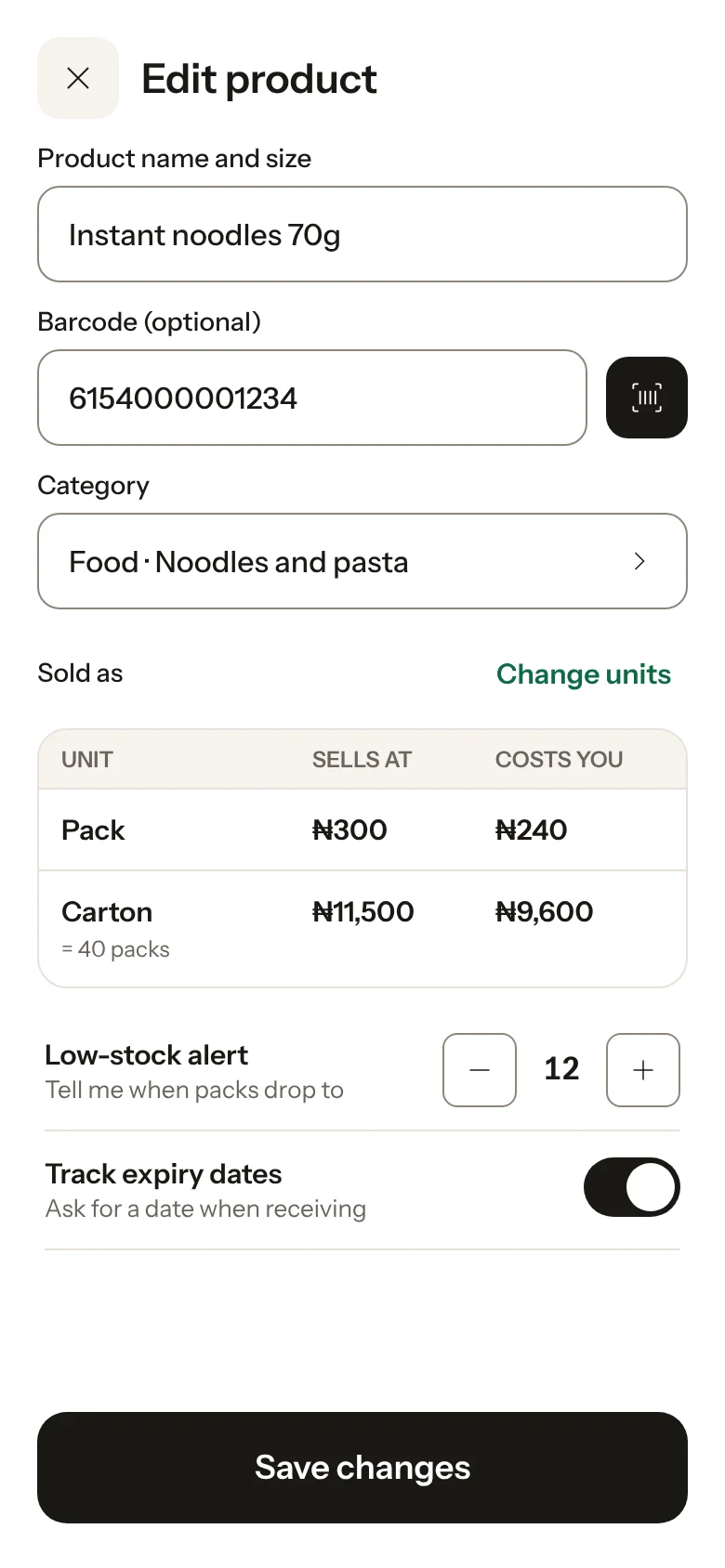
Step 4: Choose a low-stock alert
Pick the number that should warn you to restock, for example 12 packs.Step 5: Save
Tap Save. The product is ready to sell straight away, even with no internet.
Already have stock? Enter how many you have now when you add the product, or do a stock count later from Products.
Was this helpful?