Take cash, transfer, card or split payments
1 minute read · updated 27 Oct 2026Storeflow records how the customer paid. It never holds or moves the money.
Step 1: Tap Pay
When the cart is ready, tap Charge to open Take payment.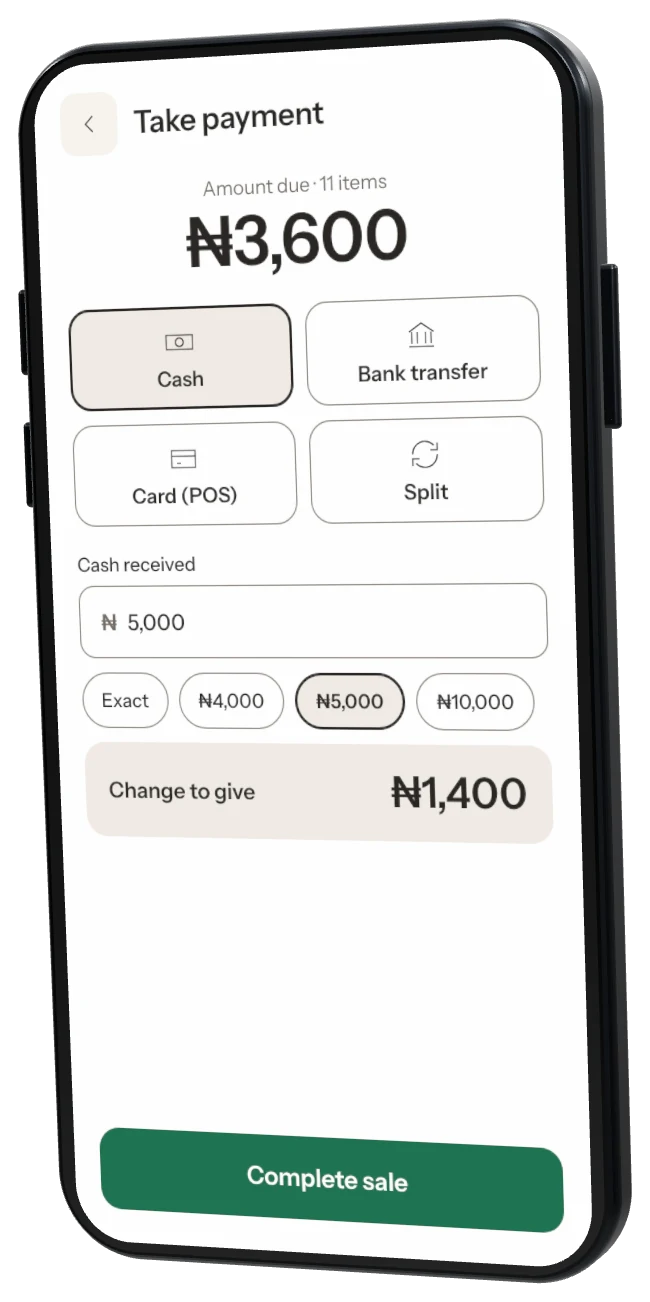
Step 2: Cash
Type the cash received. Storeflow shows the change to give.Step 3: Bank transfer
Wait for the bank alert, add the reference if you want, then tap Alert received · complete. The money goes straight to your bank.Step 4: Card on your POS terminal
Charge the card on your own terminal, then record it in Storeflow. Add the slip reference if you like.Step 5: Split
Tap Record split payment to take part cash and part transfer or card. Each part is counted separately in your end-of-day report.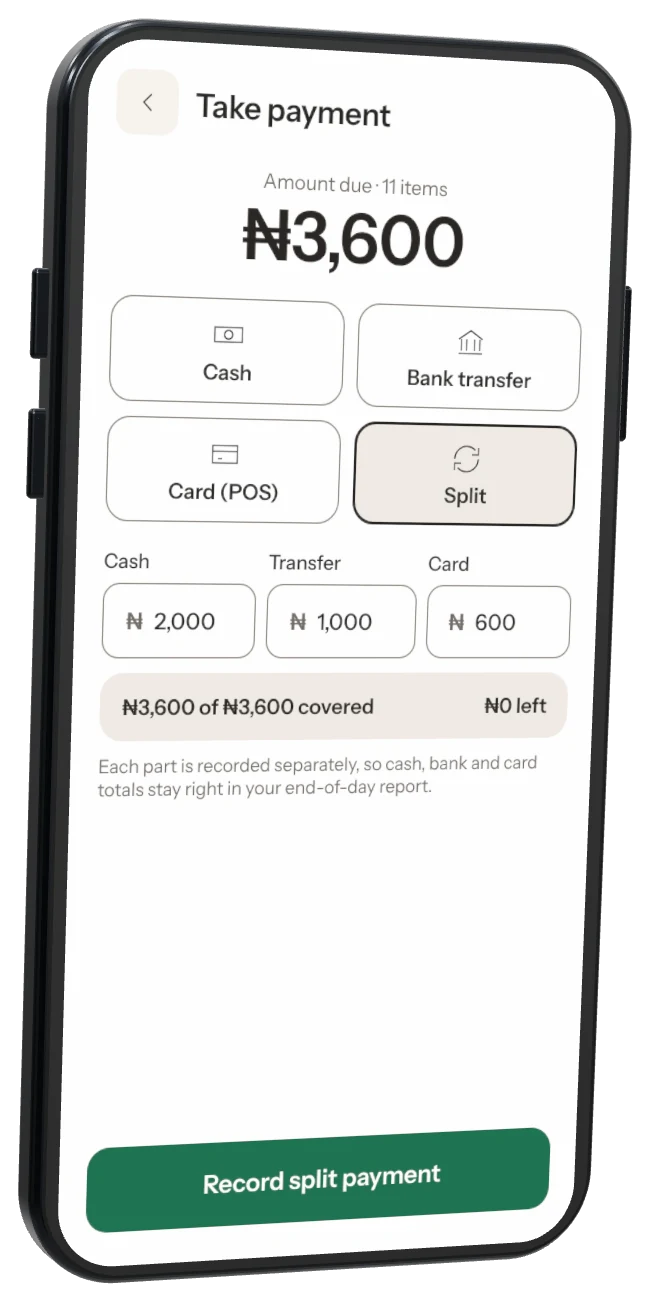
Was this helpful?