Make a sale
1 minute read · updated 27 Oct 2026Scan items, take payment and give a receipt. Selling works with or without internet.
Step 1: Tap Sell
Scan each item or search for it by name. Tap an item in the cart to change how many.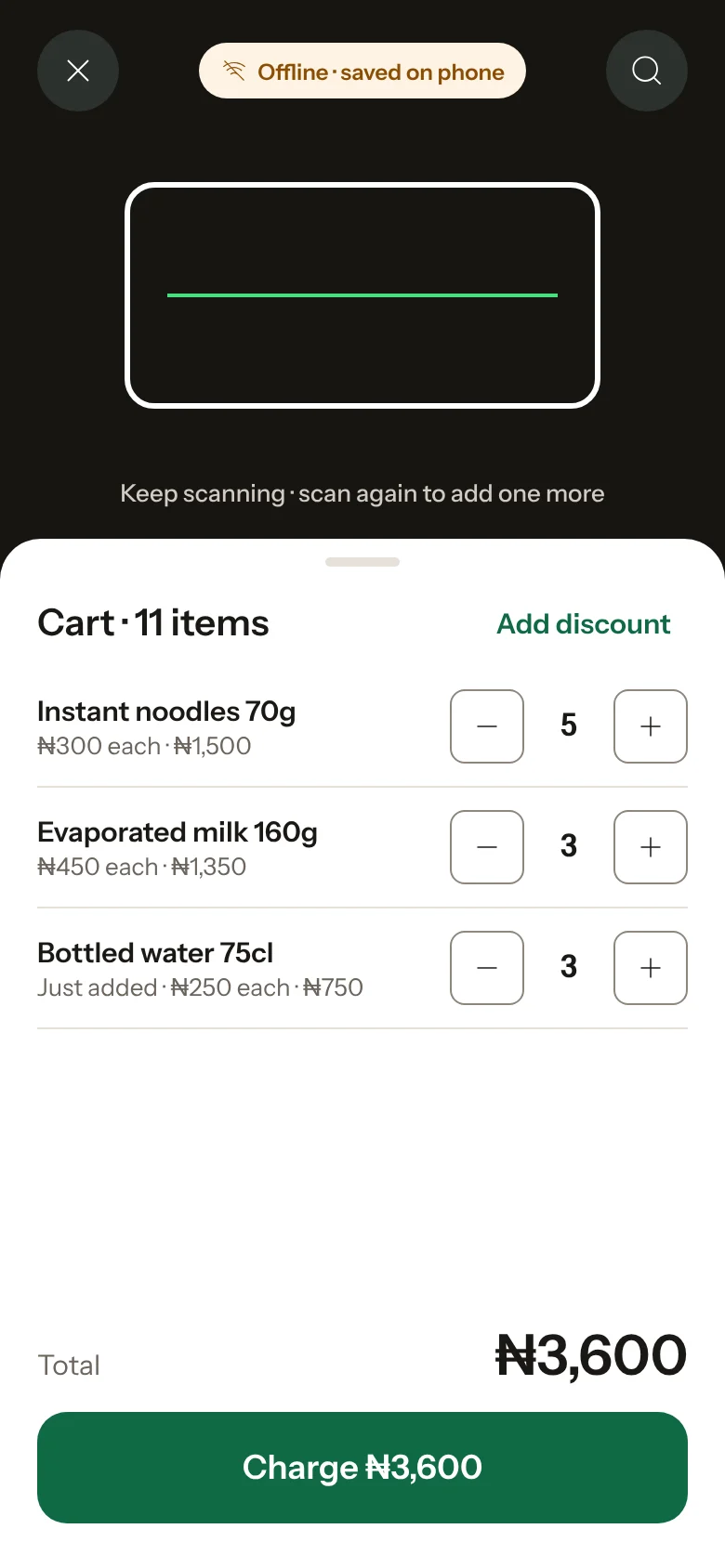
Step 2: Take payment
Tap Charge and choose how the customer paid: cash, bank transfer, card on your POS terminal, or split between them.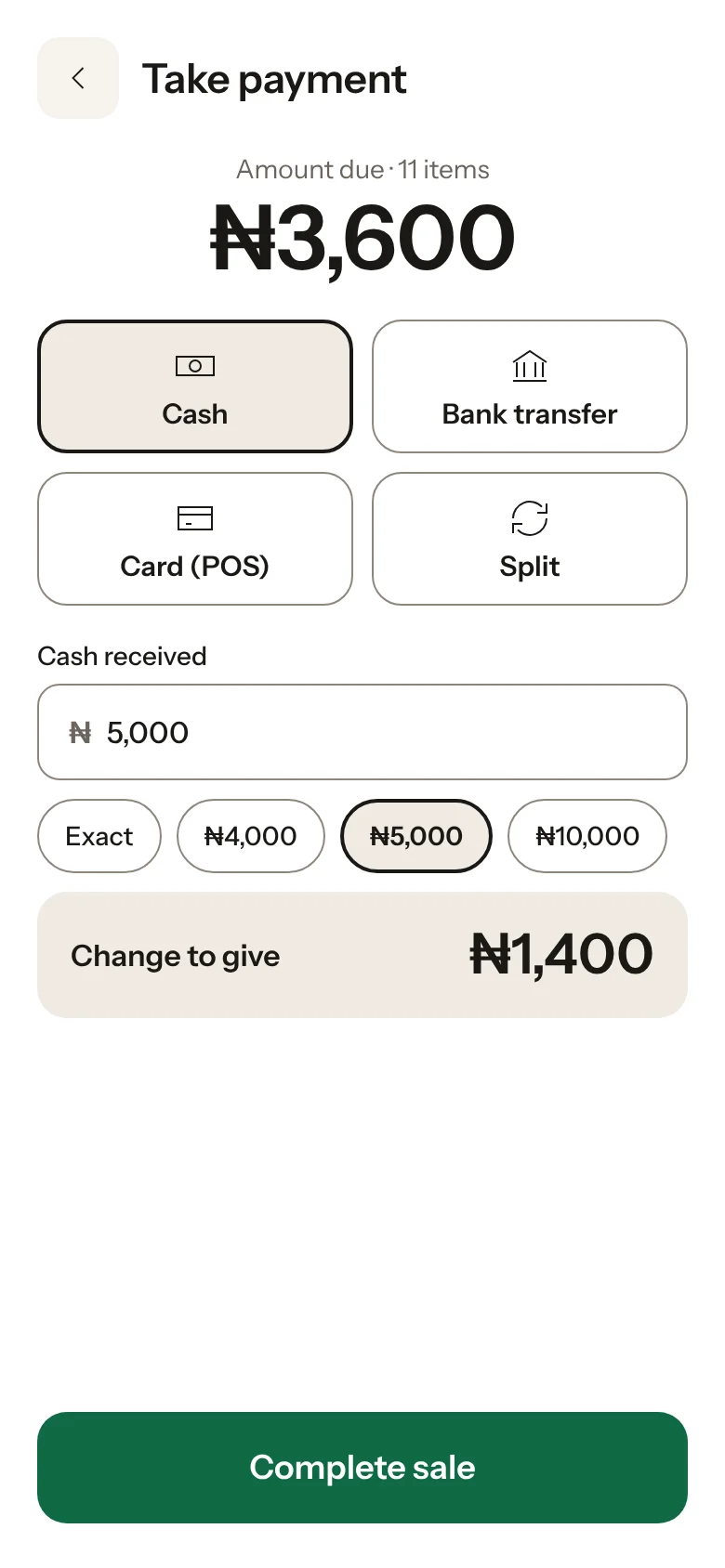
Step 3: Enter the cash received
For cash, type what the customer gave you. Storeflow shows the change to give back.Step 4: Complete the sale
Tap Complete sale. Stock goes down and the sale shows on Home and in Reports.Step 5: Give a receipt
Print it, share it on WhatsApp, or skip it.
Storeflow records payments, it doesn't take them Transfers and card payments go to your own bank or POS terminal as usual. Storeflow just keeps the record.
Was this helpful?