Choose what each role can do
1 minute read · updated 27 Oct 2026Each person has one role. Change a role and everyone with it updates straight away.
Step 1: Open Roles and access
Tap More, then Team, then Roles and access.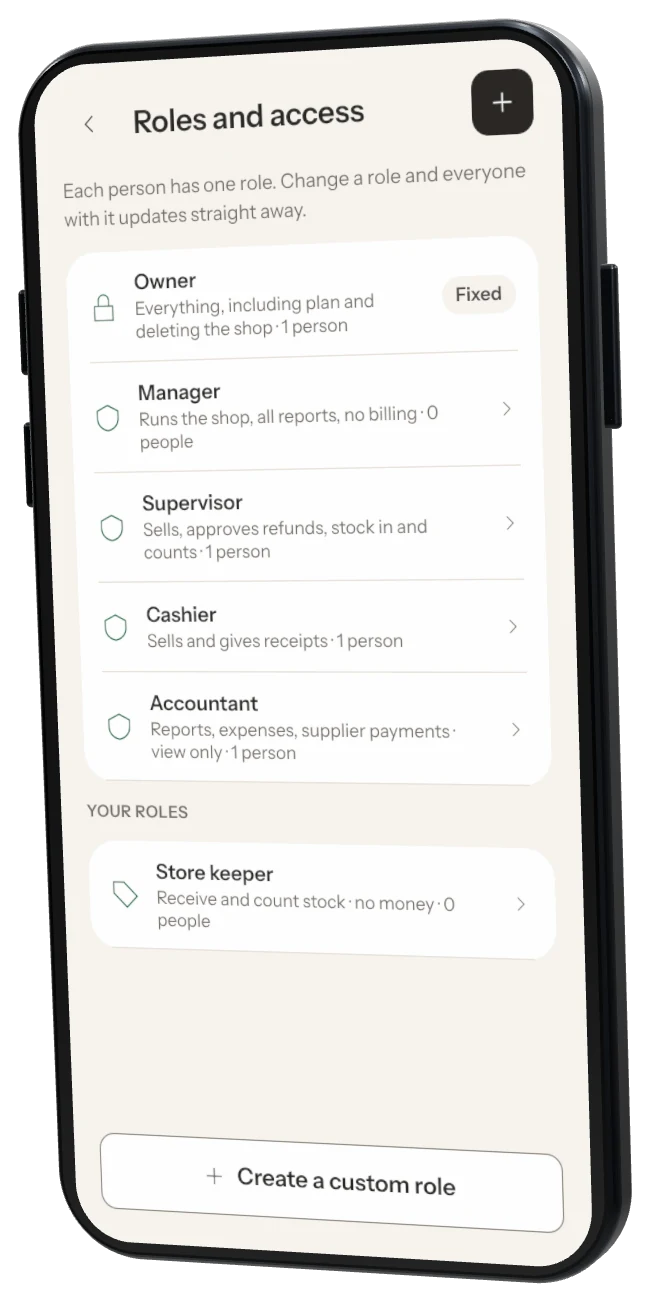
Step 2: See a role
Tap a role to see what it can see and do.Step 3: Create a custom role
Tap Create a custom role, name it and start from an existing role. Set the highest discount without the owner's PIN. Custom roles are on the Business plan.Step 4: Delete a role
Move anyone with the role to another role first.
Was this helpful?