Reset a PIN, pause or remove someone
1 minute read · updated 27 Oct 2026Look after your staff's access from Team.
Step 1: Open the person
Tap More, then Team, then their name.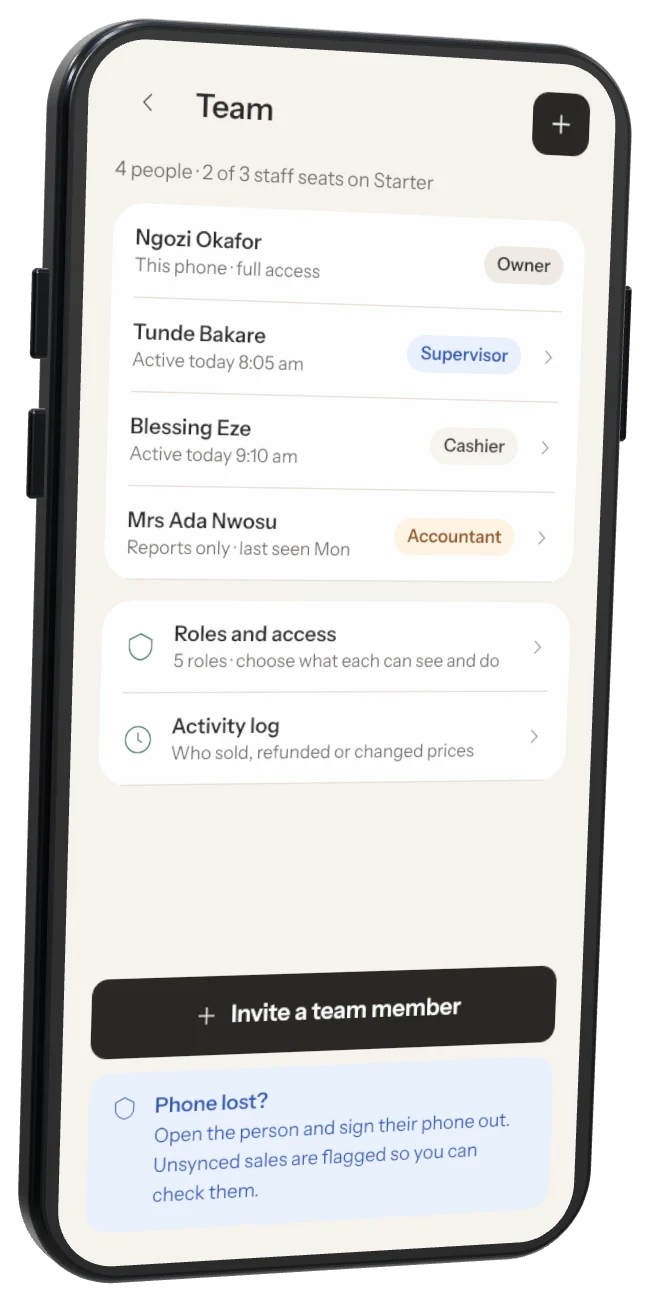
Step 2: Reset PIN
They make a new 4-digit PIN the next time they open the app.Step 3: Pause access
They can't log in until you turn it back on.Step 4: Sign out phone
Use it if their phone is lost. Sales that hadn't backed up are flagged so you can check them against the cash.Step 5: Remove from team
They are signed out for good. Their past sales stay in your records with their name.
Was this helpful?