Add a team member
1 minute read · updated 27 Oct 2026Invite a cashier or manager. They sign in with their own PIN, so every sale shows who made it.
Step 1: Open Team
Tap More, then Team, then Invite a team member.Step 2: Enter their name and phone
They get a link and a 6-digit code on WhatsApp or SMS. No email needed.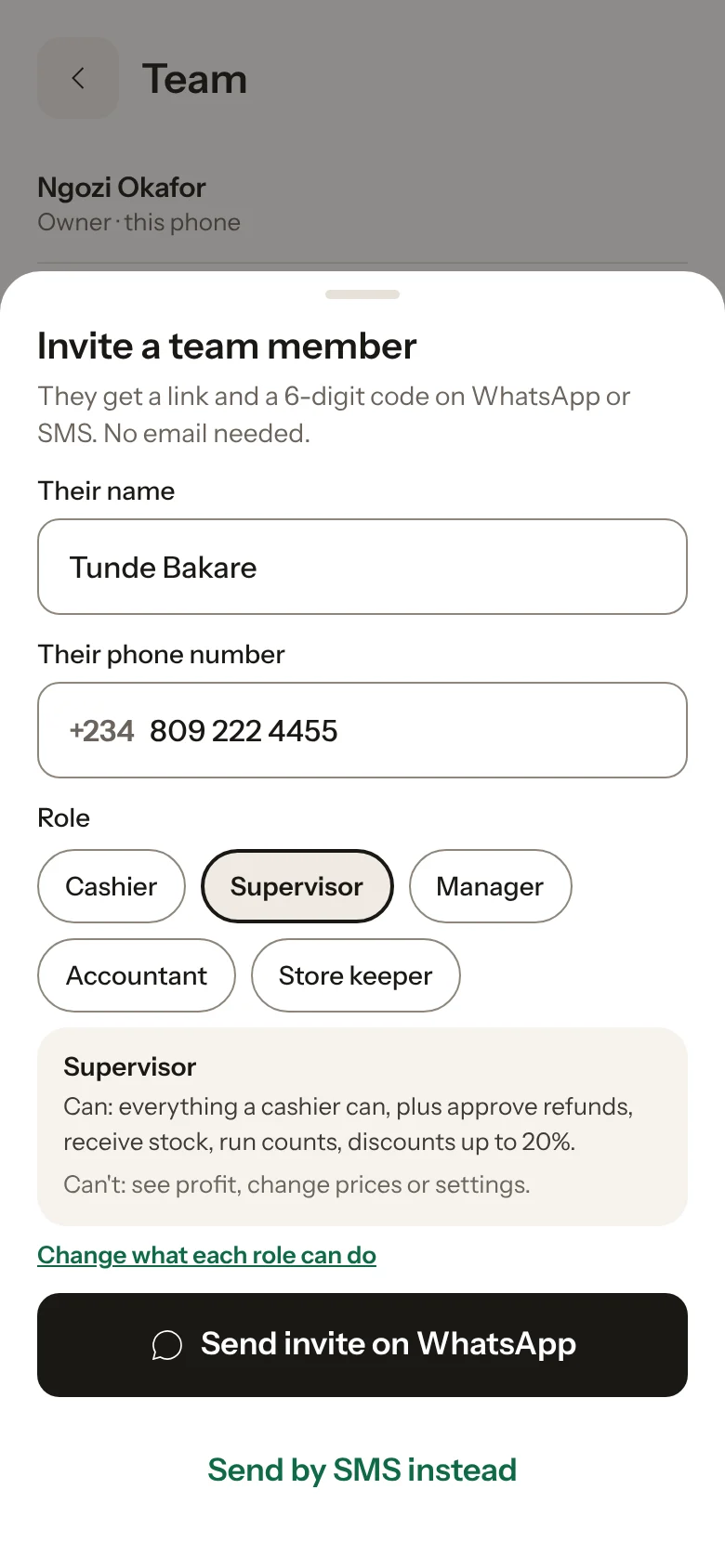
Step 3: Choose a role
A cashier can sell but can't see your costs or profit. A manager can also add products and receive stock.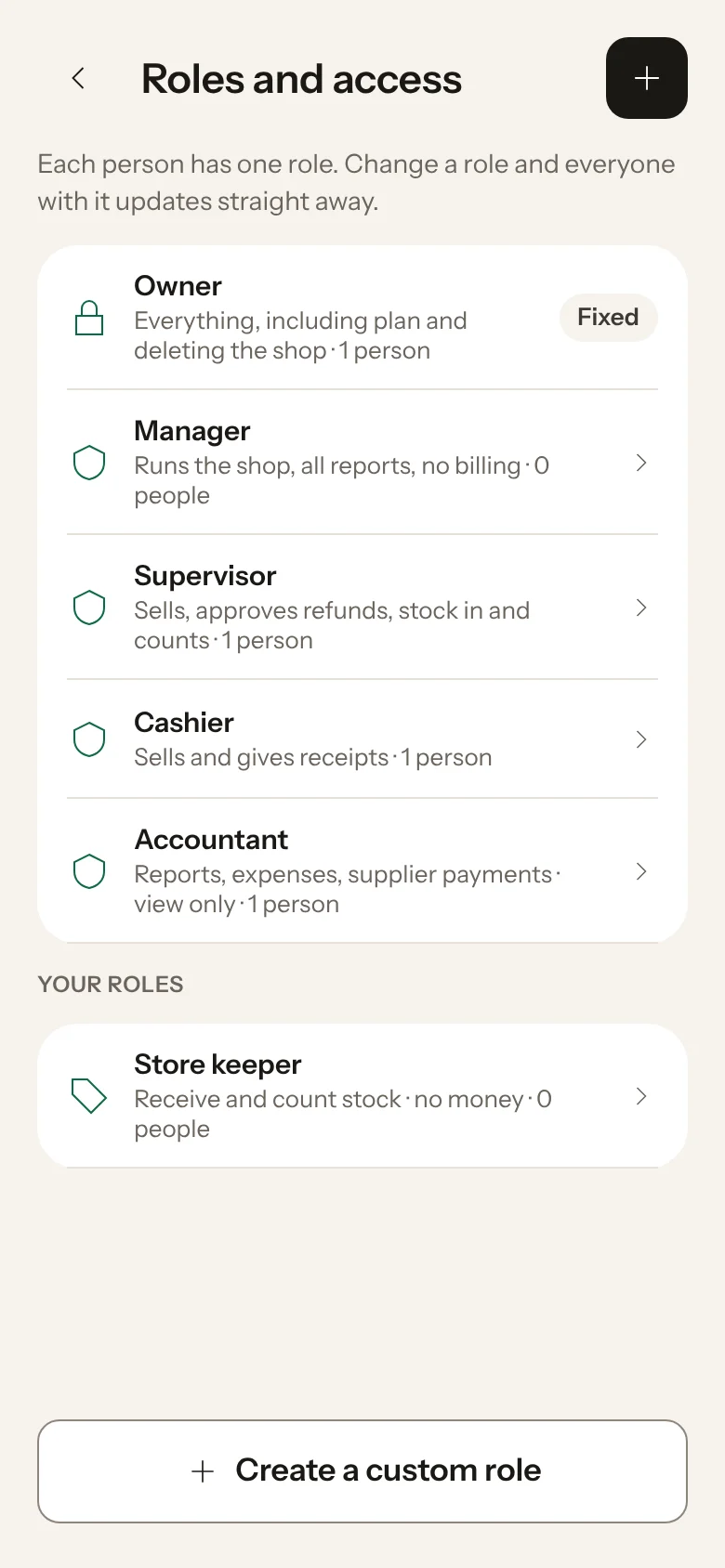
Step 4: They join on their phone
They install Storeflow, open the link, enter the code and set a 4-digit PIN.
Someone left? Open Team, tap their name and remove them. They are signed out of every phone straight away.
Was this helpful?