Finish setting up your shop
1 minute read · updated 27 Oct 2026The Get your shop ready checklist on Home walks you through the first jobs. Most shops finish it in 15 minutes.
Step 1: Look at Home
Home shows today's sales, what needs restocking, the backup badge and the Get your shop ready checklist.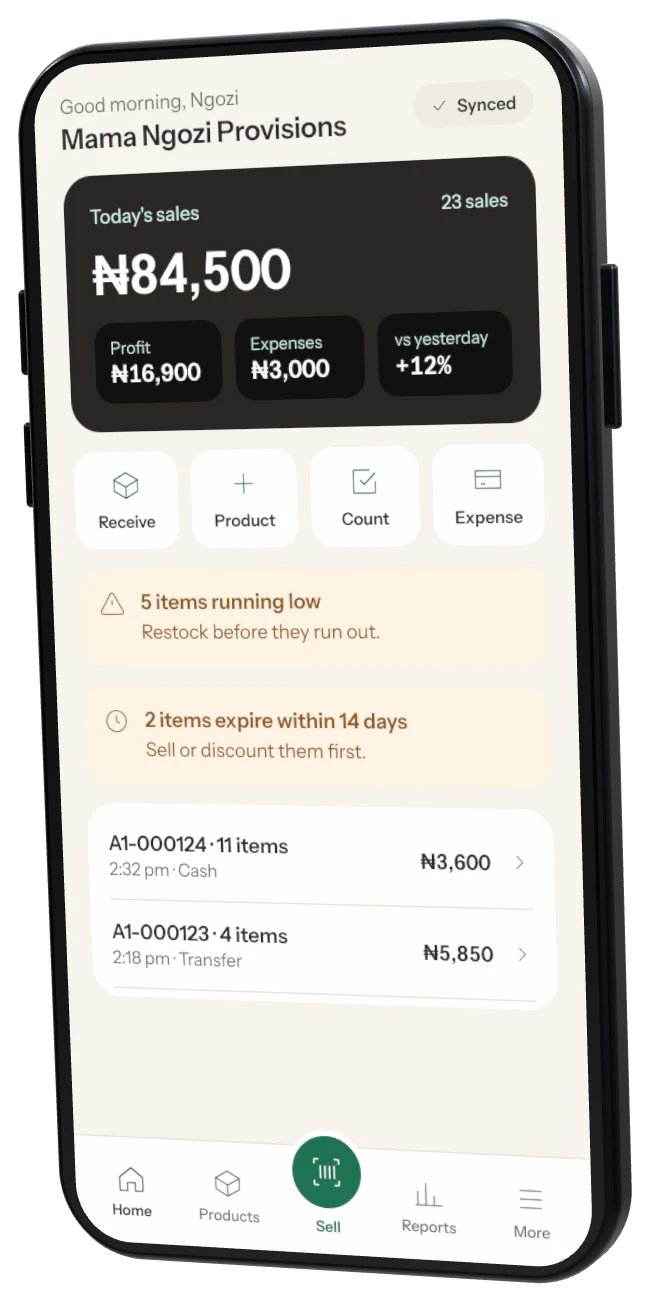
Step 2: Add your first products
Scan 10 items to start. Each one takes a few seconds.Step 3: Record your first sale
Tap the big green Sell button, scan an item, take payment and give a receipt.Step 4: Connect a receipt printer
Optional. Customers can get their receipt on WhatsApp instead.Step 5: Invite a cashier
Optional. They sell on their own phone and you stay in control of prices and refunds.
Want the tips again? Open More, then Help, and tap Show Home tips again or Replay the welcome tour.
Was this helpful?