See your sales and profit
1 minute read · updated 27 Oct 2026Reports shows money you made, profit and loss, best sellers and stock value for any period.
Step 1: Open Reports
Tap Reports at the bottom. Pick a period: today, last 7 days, this month and more.Step 2: Profit and loss
Tap Profit and loss to see sales, cost of goods, expenses, stock losses and net profit.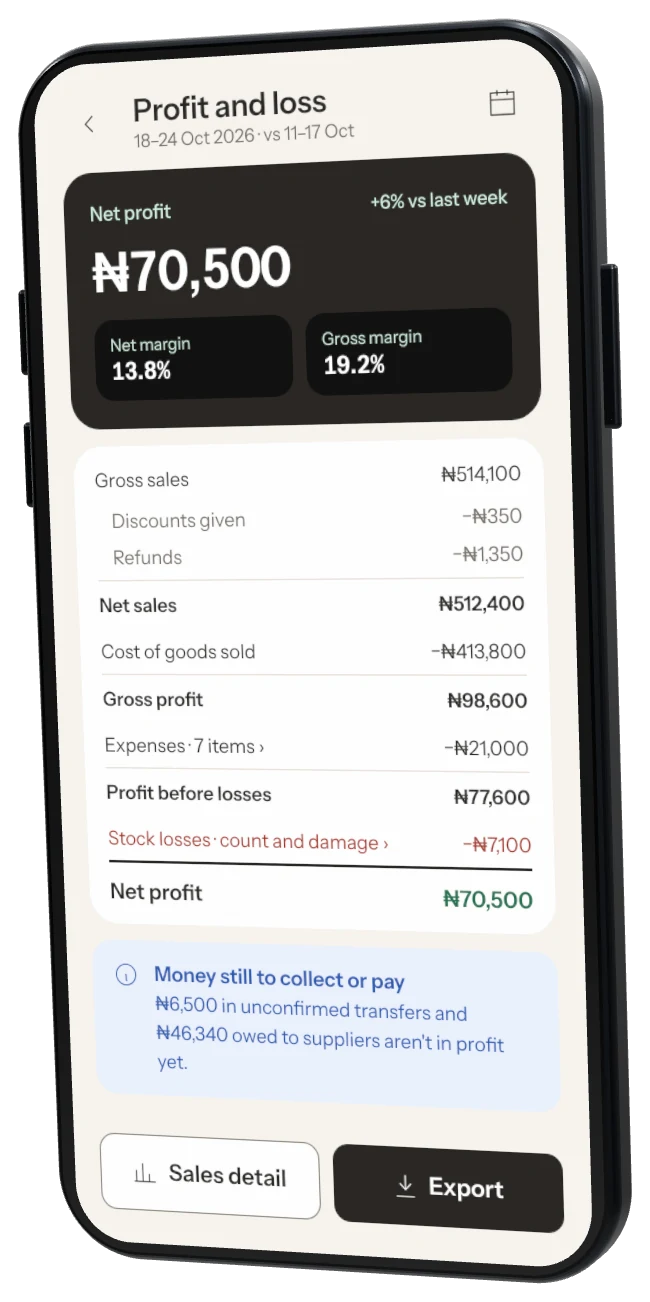
Step 3: Sales breakdown
See sales by product, category or payment method.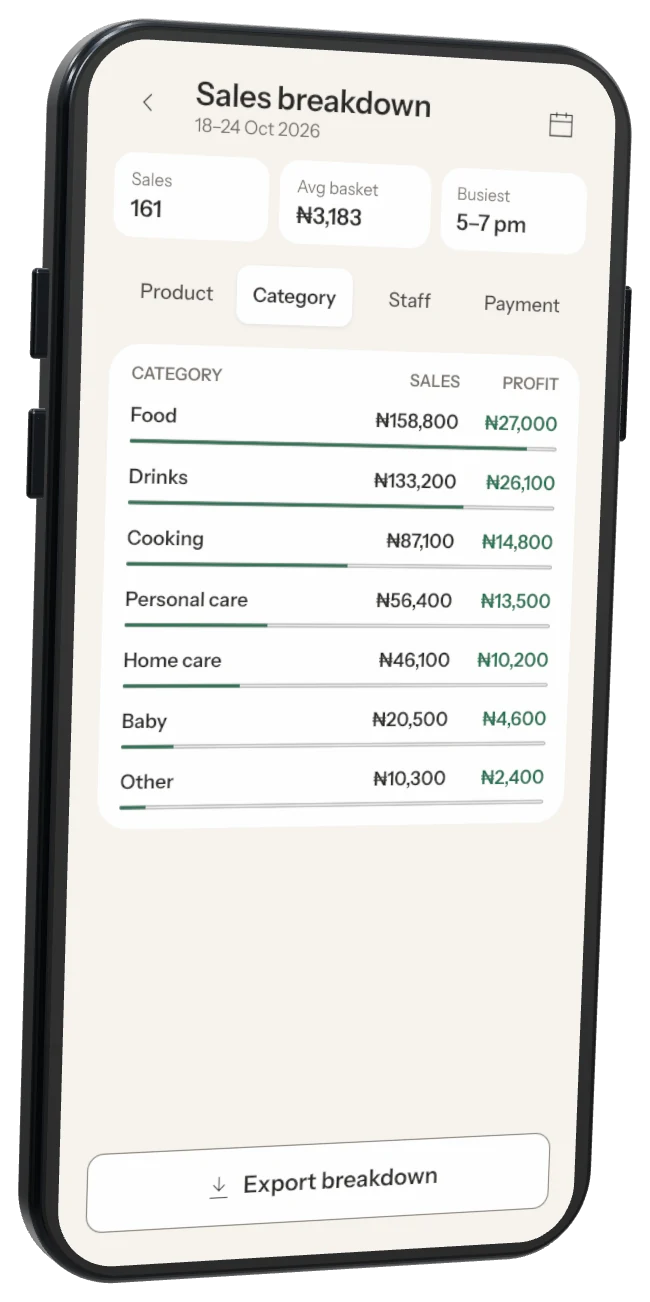
Step 4: Stock value and losses
See what is on your shelves, what is missing at count, damaged or expired, and what hasn't sold in 30 days.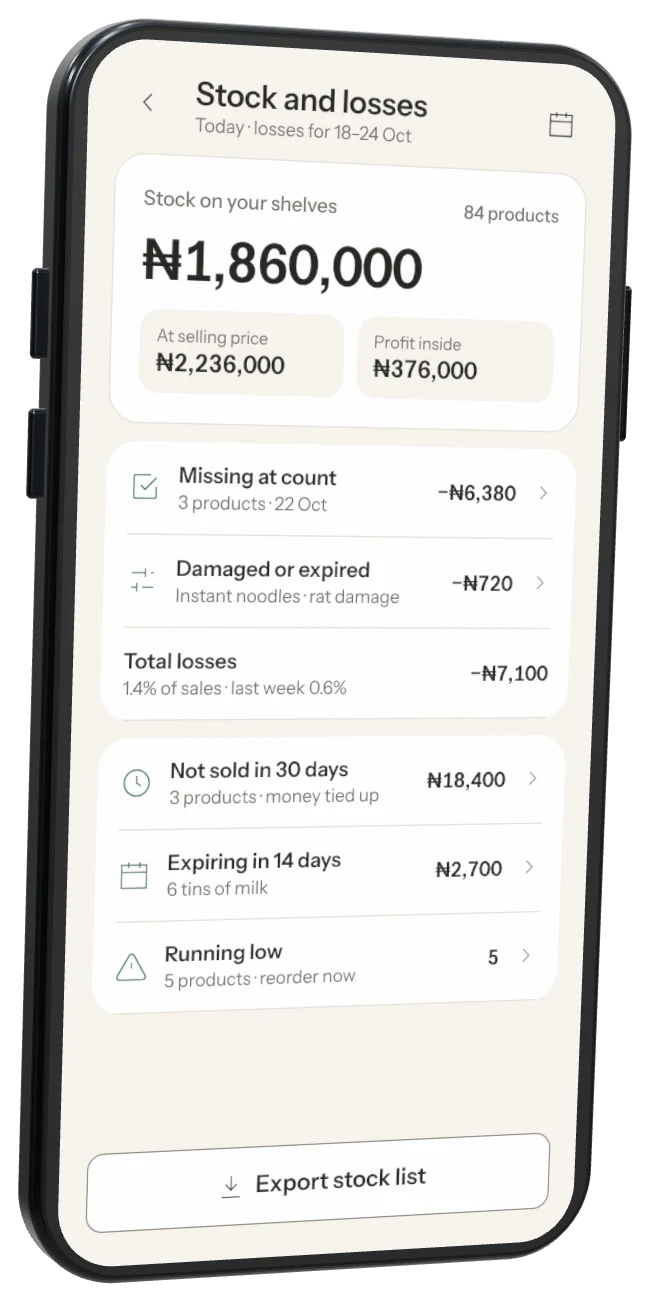
Profit looks wrong? Add cost prices to your products. Reports warns you when some items have no cost price.
Was this helpful?