Close the day and count the cash
1 minute read · updated 27 Oct 2026Count the cash in your till and see if it matches the sales.
Step 1: Open Close the day
Tap Reports, then Close the day.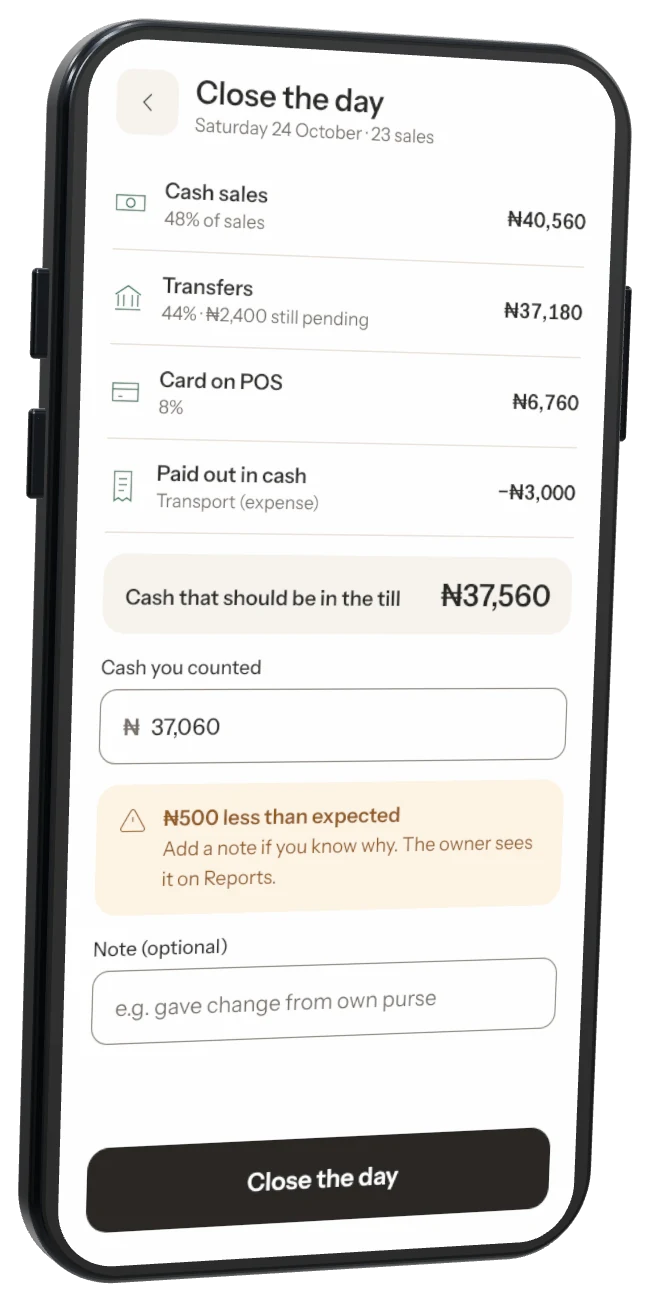
Step 2: Check what should be there
Storeflow shows cash sales, cash paid out and the cash that should be in the till.Step 3: Type what you counted
Count the cash and type it in. If it doesn't match, add a note. The owner sees it on Reports.Step 4: Close
Tap to close the day. You can close it again if you count again.
Was this helpful?