Order stock with a purchase order
1 minute read · updated 27 Oct 2026Send an order to your supplier on WhatsApp and tick items off when they arrive.
Step 1: Create an order
Tap More, then Suppliers, then Purchase orders, then Create an order. Or tap Order low-stock items.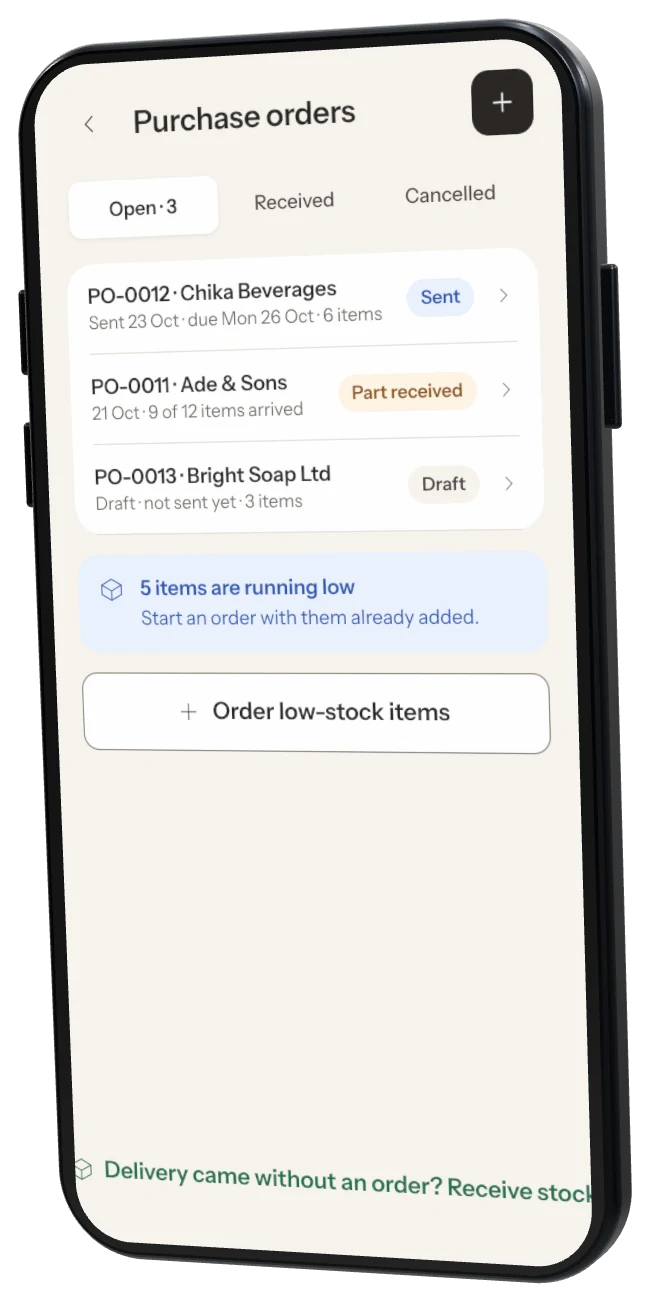
Step 2: Add the items
Choose the supplier, add each item and how many, and a deliver-by date.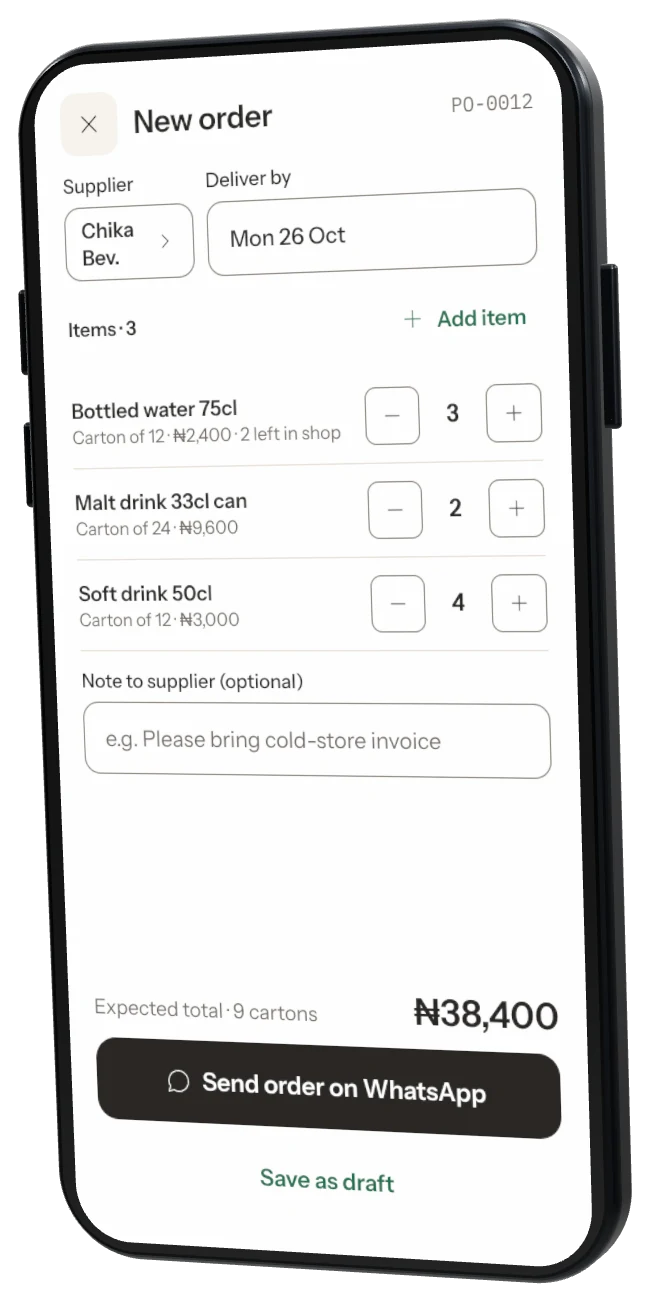
Step 3: Send it
Tap Send order on WhatsApp, or Send by SMS or copy text.Step 4: Receive it
When the goods arrive, open the order and tap Receive this order. Part deliveries are fine: receive the rest later or cancel what is missing.
Was this helpful?