Connect a Bluetooth receipt printer
3 minute read · updated 20 Oct 2026Most small thermal printers connect over Bluetooth in under a minute. You need the printer switched on with paper, and Bluetooth on your phone.
1Turn the printer onLoad the paper roll with the shiny side facing the print head, then switch the printer on. Keep it within 2 metres of your phone.
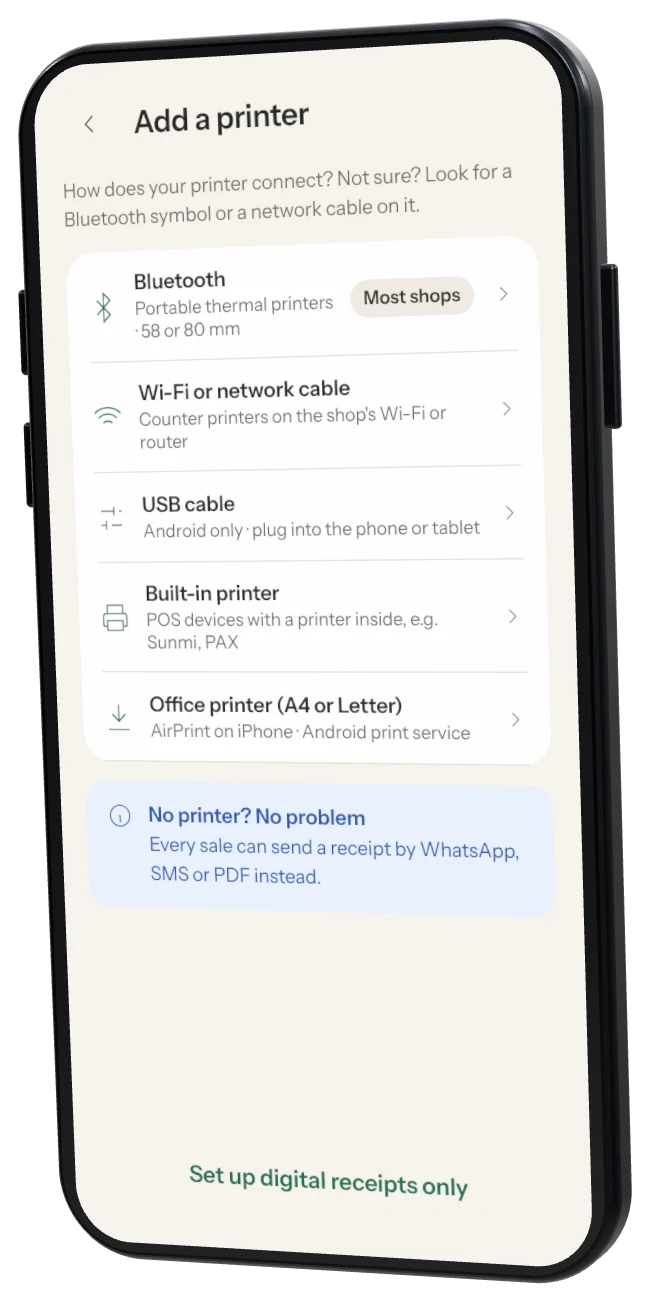
2Open printer settingsIn Storeflow, tap More → Settings → Printers → Add a printer.
3Choose BluetoothPick Bluetooth as the printer type. Storeflow starts searching straight away.
4ConnectTap Connect next to your printer (for example PT-210). If your phone asks to pair, accept.
5Choose your paper sizePick 58 mm or 80 mm to match your roll, then tap Print a test receipt.
Printing blank paper? The roll is in the wrong way round. Thermal paper only prints on the shiny side.