Add-on · ₦1,500/month
Weighing scaleSell rice, beans and garri by the kg from a connected scale.Learn more →Add-on · Hardware
Let customers see every naira.
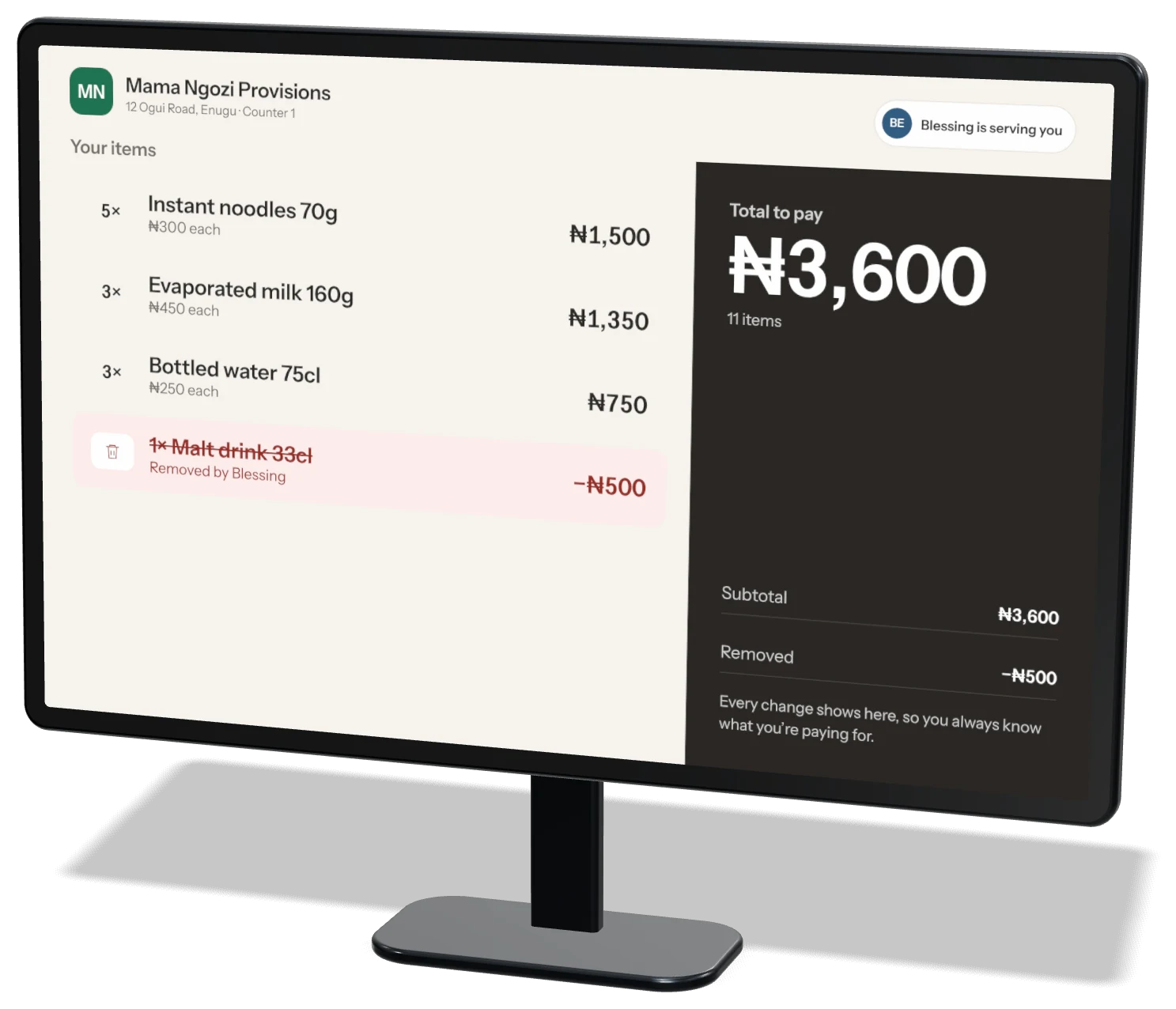
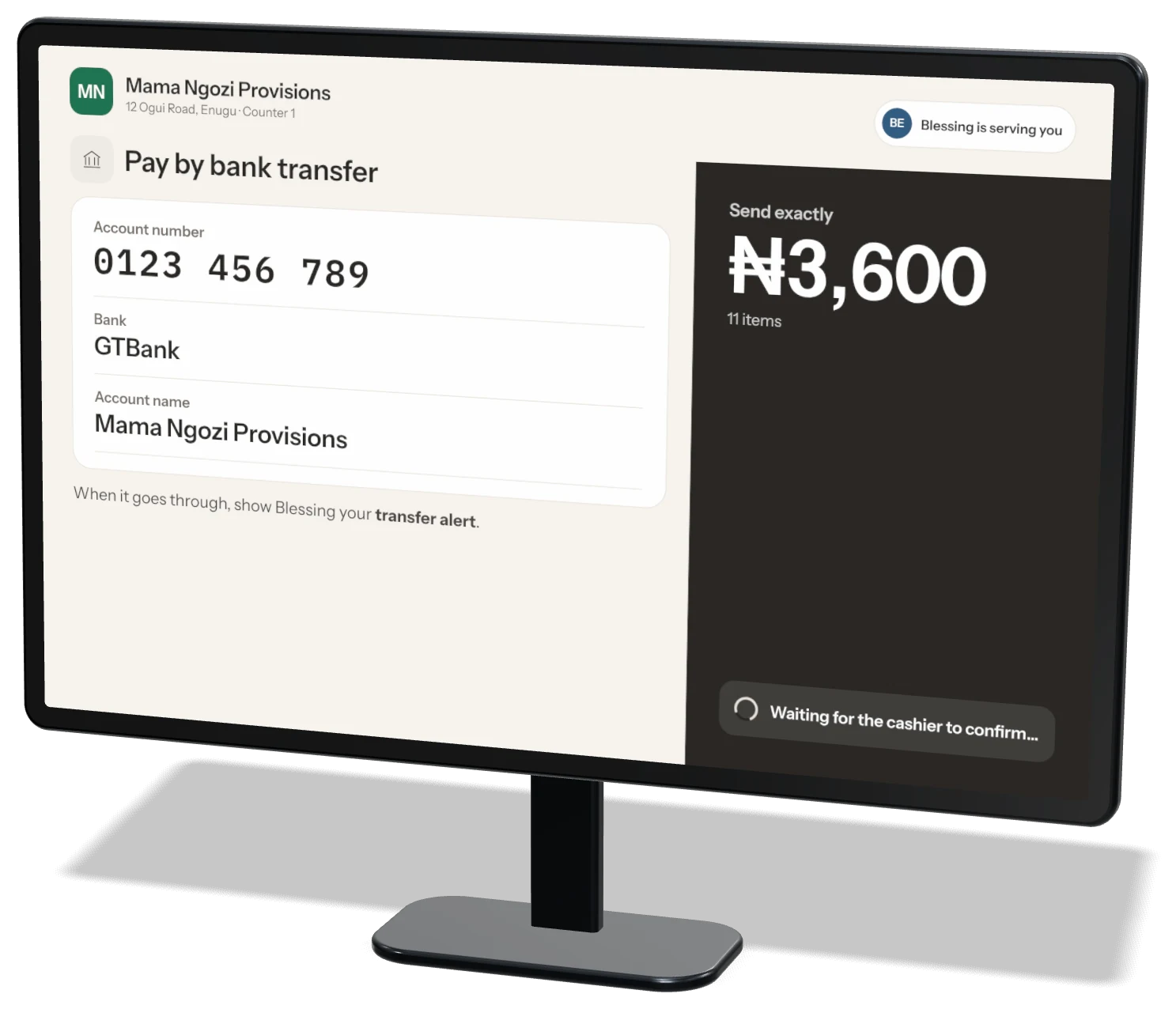
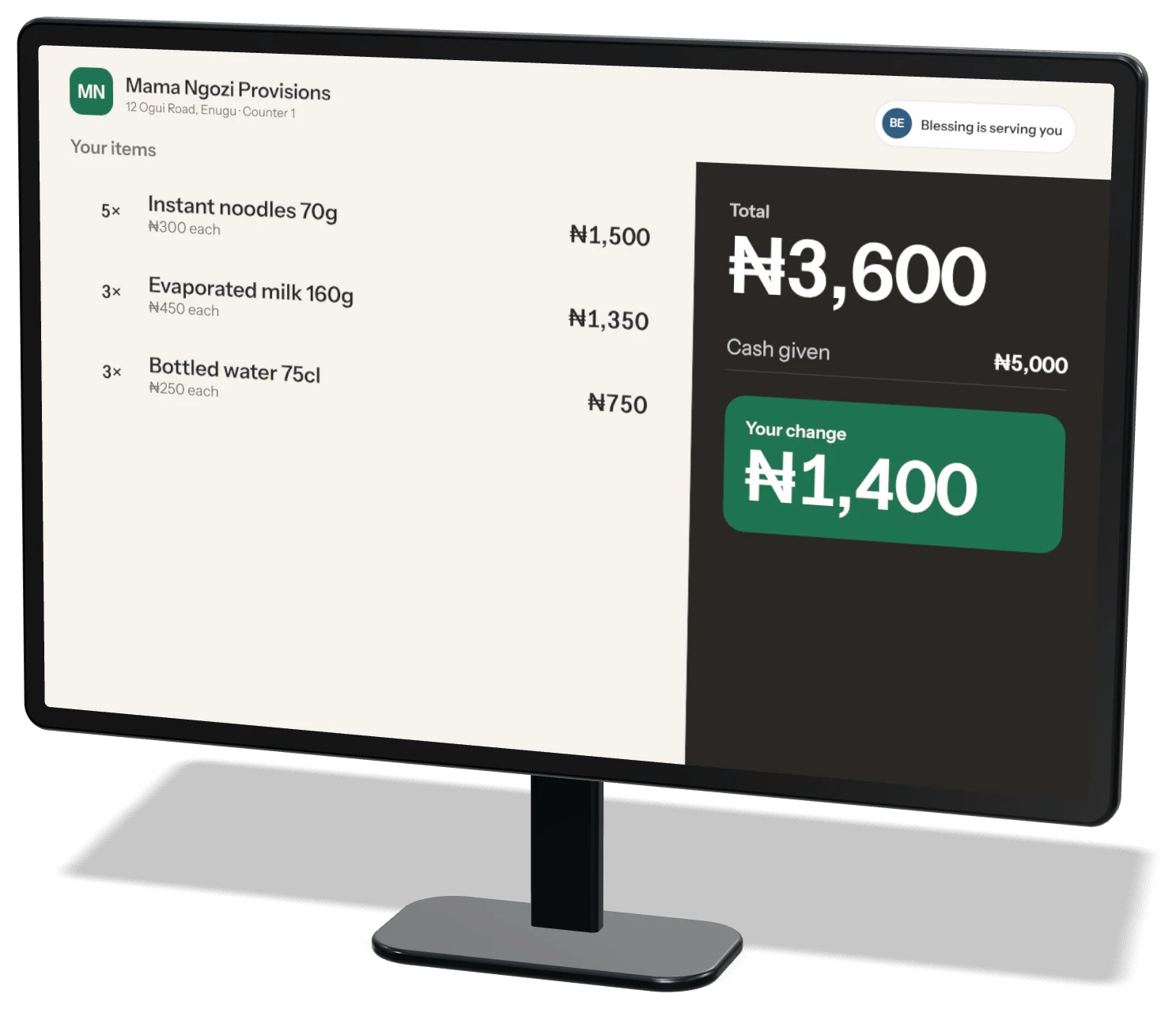
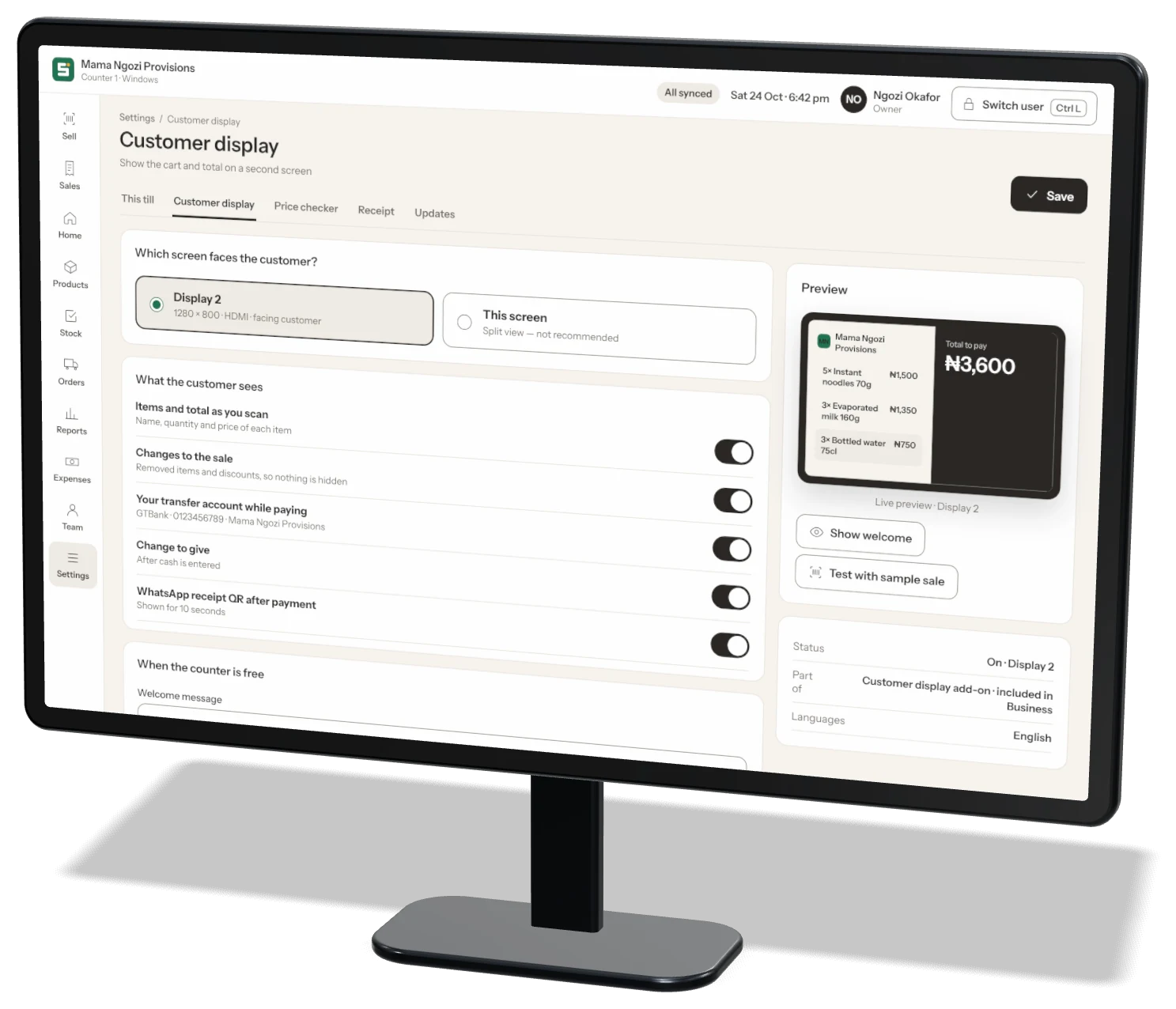
Plug a second screen into your Storeflow Desktop till. Customers watch each item, the total, your transfer account and their change — so there are no arguments at the counter.
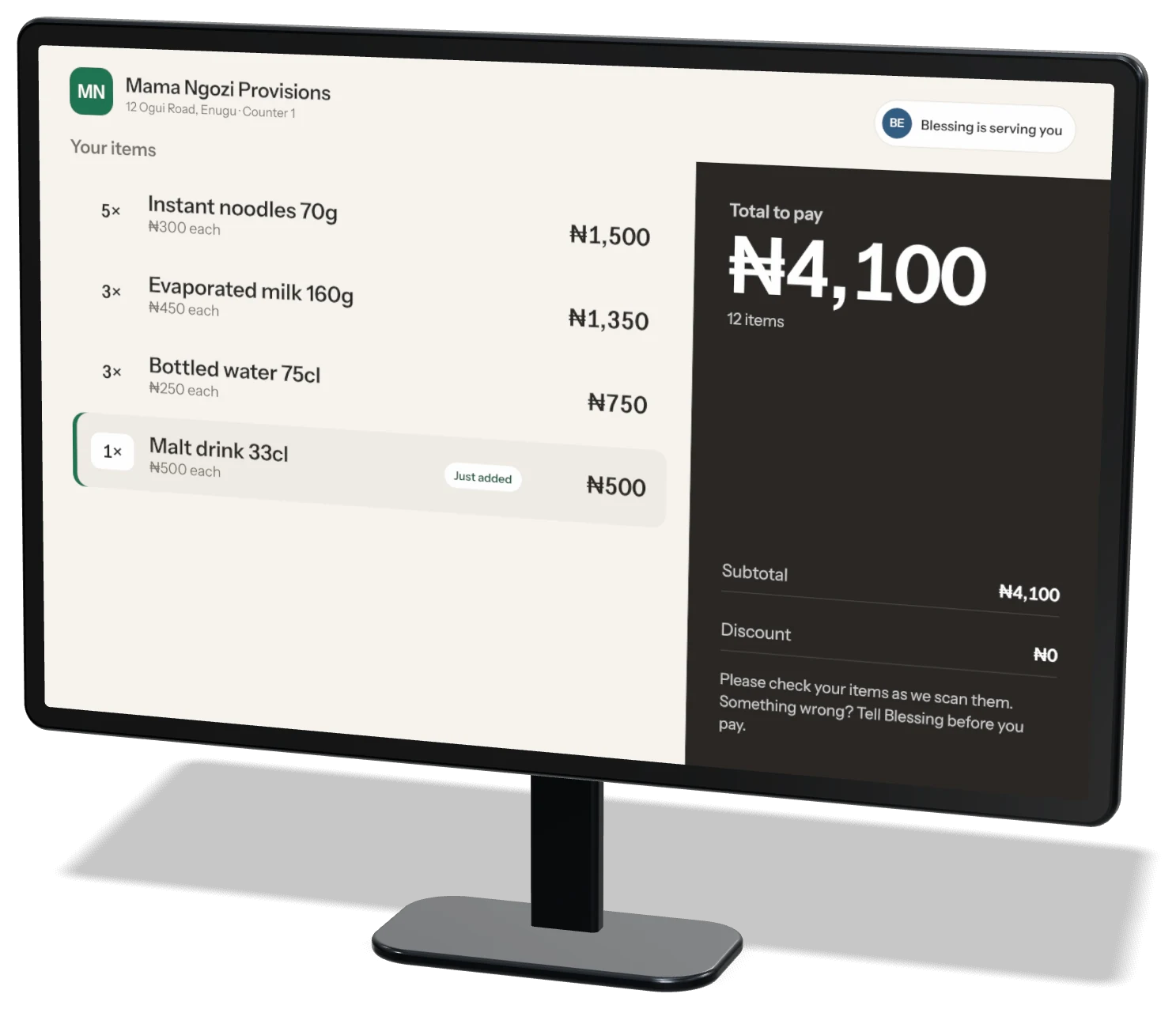
Just addedMalt drink 33cl · ₦500
PriceIncluded in Business
Works withStoreflow Desktop
ScreenAny size · 10–15" is best
InternetNot needed
What customers see
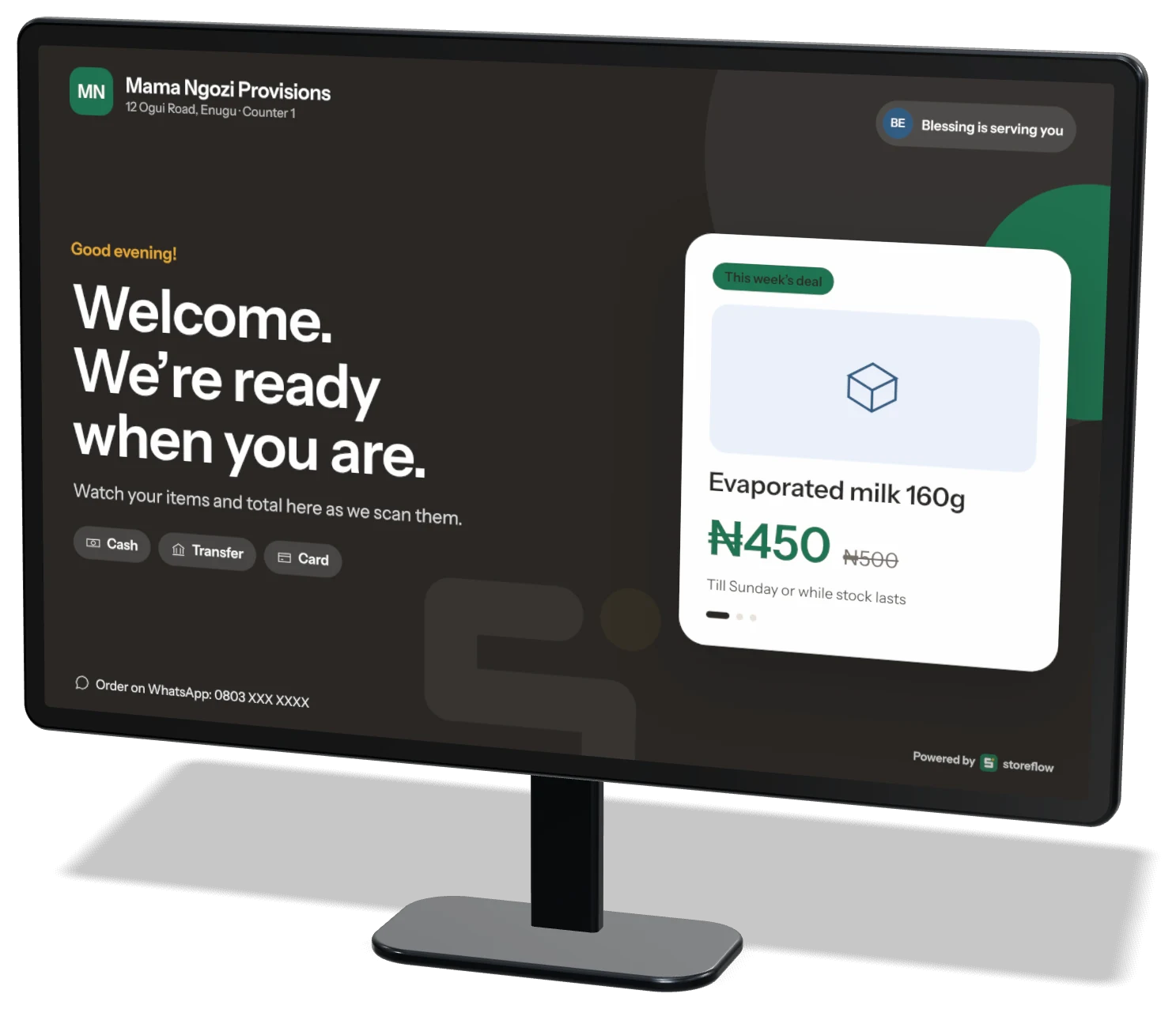
Six moments, one honest screen.
Set up
On in two minutes.
1Plug in a second screen
HDMI, VGA or USB-C. A small monitor or a POS customer screen both work.
HDMI, VGA or USB-C. A small monitor or a POS customer screen both work.
2Open Settings → Customer display
Storeflow finds the screen and shows a live preview.
Storeflow finds the screen and shows a live preview.
3Choose what customers see
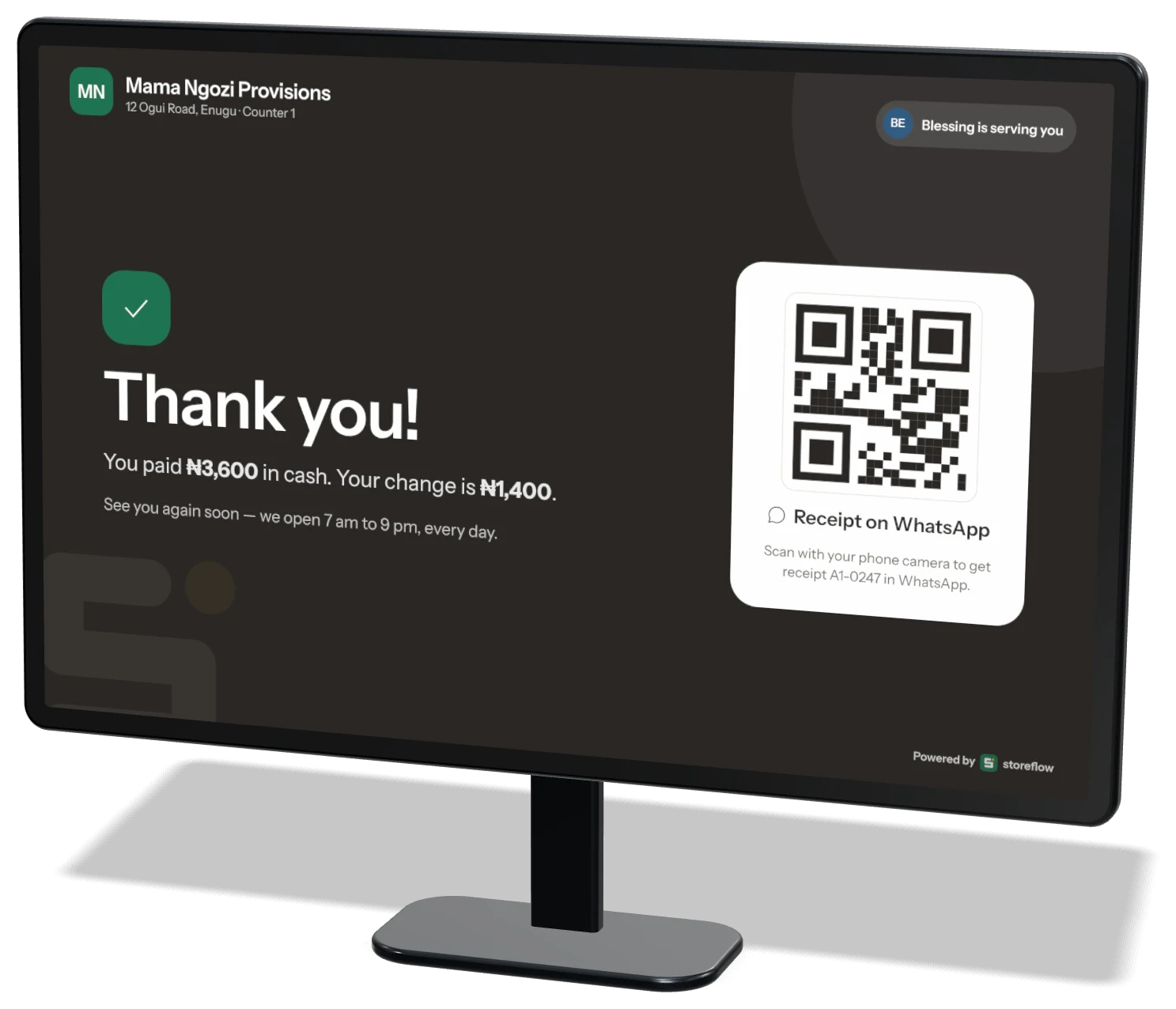
Transfer details, change, receipt QR and your welcome slides.
Transfer details, change, receipt QR and your welcome slides.
Also included · Price checker
Fewer “how much is this?” at the counter.
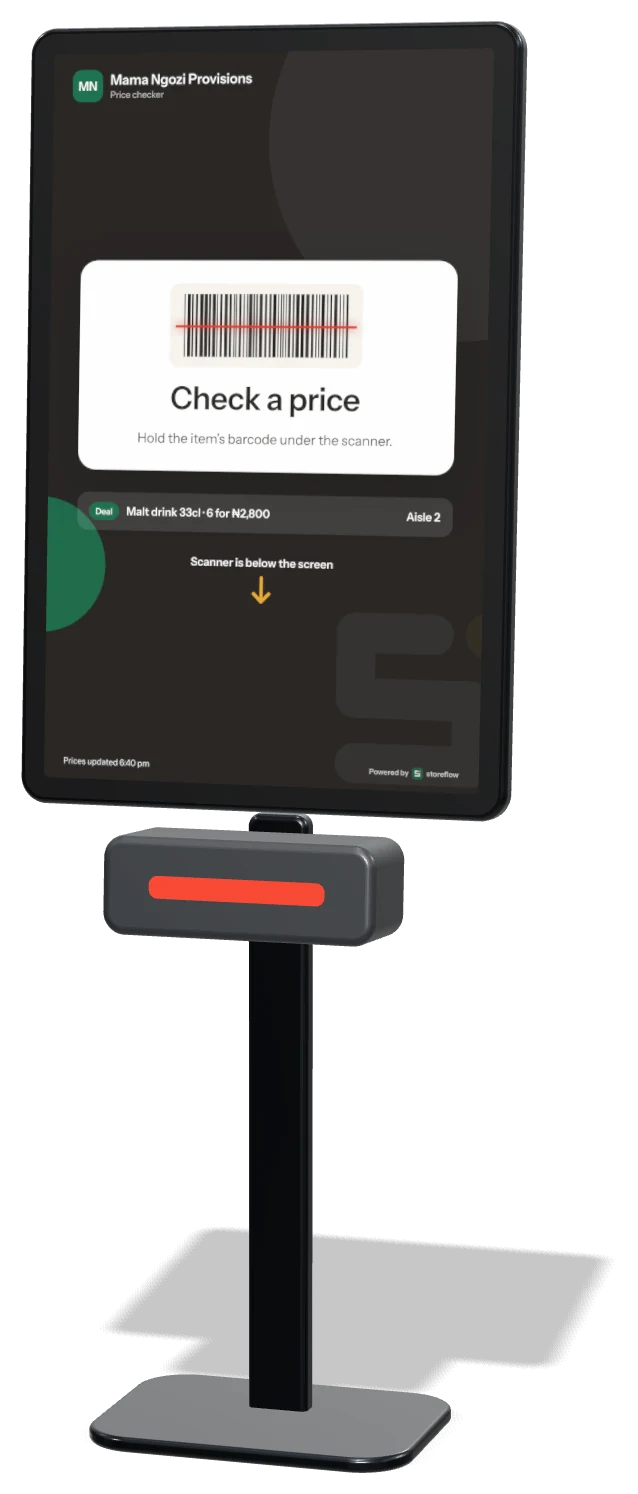
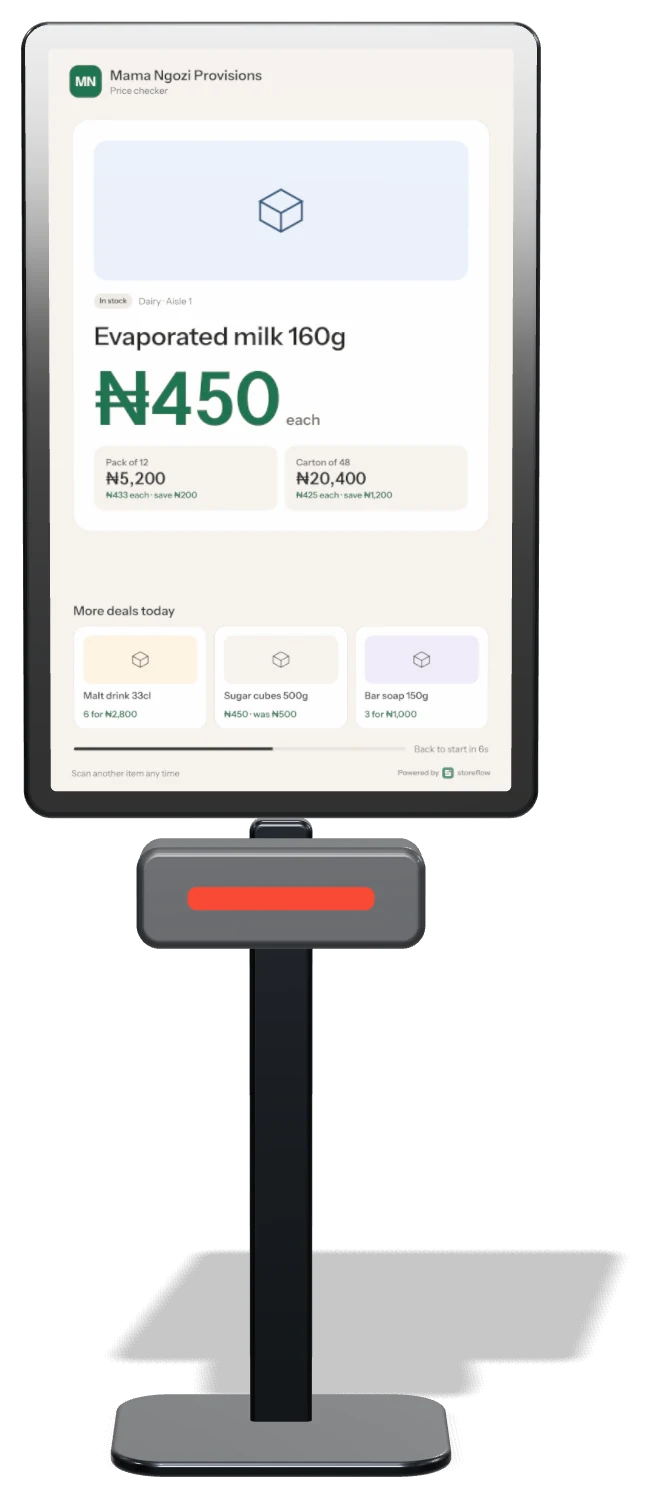
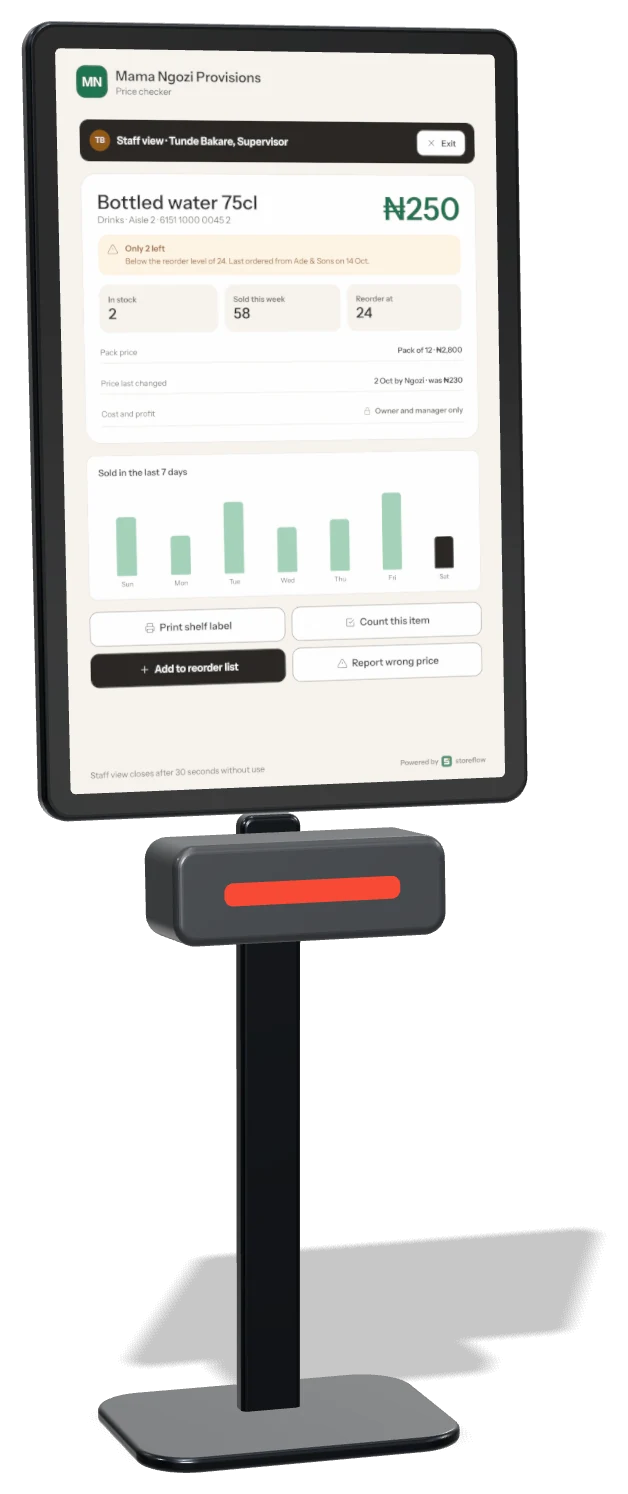
Turn any computer with a screen and scanner into a price checker on the shop floor. Customers see the price, pack and carton prices and deals. Staff enter a PIN to check stock and print a shelf label.
- Portrait or landscape screen
- Never shows exact stock numbers to customers
- Unknown barcodes are sent to you to fix
- Doesn’t use one of your till seats
Questions
Customer display FAQ
Which screens work?
Any monitor or POS customer screen you can plug into the till computer — HDMI, VGA or USB-C. We recommend 10 to 15 inches facing the customer.
Does it need internet?
No. The customer display runs from the till itself, so it keeps working when the internet is down.
Can I show my own adverts?
Yes. Add up to five slides with your deals, opening hours or WhatsApp number. They show while the counter is free.
Will customers see my cost prices?
Never. Customers only see selling prices, discounts, the total and their change.
Do I need the Business plan?
Yes. Customer display and Price checker come with Storeflow Desktop, which is part of Business.
Does it work with a pole display?
Not yet. Two-line pole displays are on our list — tell us on WhatsApp if you need one.
More add-ons
Popular with shops like yours
Add-on · ₦2,000/month
Loyalty & rewardsCustomers earn points on every sale and check their balance on WhatsApp.Learn more →Add-on · ₦2,500/month
Credit bookKnow who owes you. Set limits and send polite WhatsApp reminders.Learn more →Add-on · ₦2,000/month
Deals & price rulesMulti-buy, carton and wholesale prices, happy hours.Learn more →Stop guessing.
Start growing.
Download Storeflow free and make your first sale today. Free for up to 100 products — no card needed.