Keep your sales backed up
1 minute read · updated 27 Oct 2026Every sale is saved on your phone first, then copied to Storeflow when you have internet. Here's how to make sure nothing is lost.
Step 1: Sell as usual, even offline
With no internet, selling, counts and receiving all keep working. Home shows how many sales are not backed up yet.Step 2: Connect to the internet
Turn on mobile data or Wi-Fi. Storeflow backs up by itself. Tap the sync button on Home to see each change go up.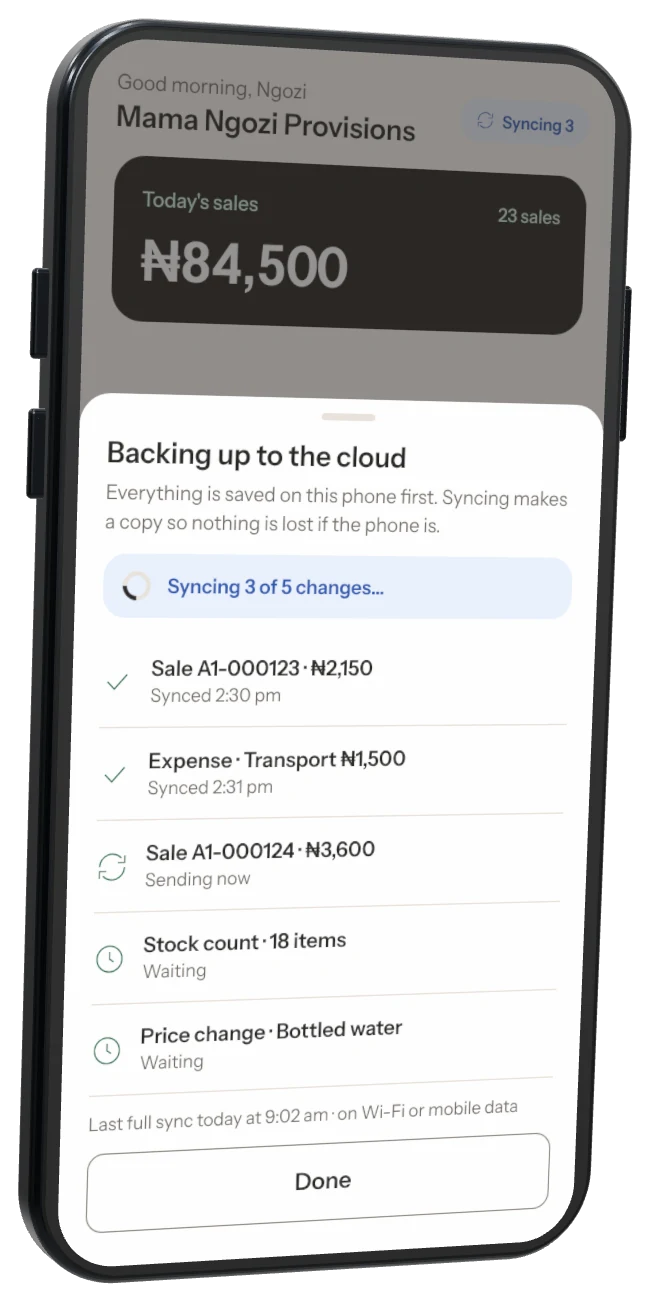
Step 3: Wait until everything is backed up
When the not-backed-up count is gone, your sales are safe even if you lose the phone.Step 4: Before you log out or change phones
If Storeflow says sales aren't backed up yet, tap Back up now and wait. Then log in on the new phone and your sales come back.
Never uninstall with sales not backed up Uninstalling Storeflow or clearing its data deletes sales that are only on that phone. Back up first.
Was this helpful?